

♥ Wishlist
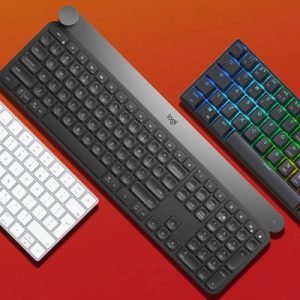

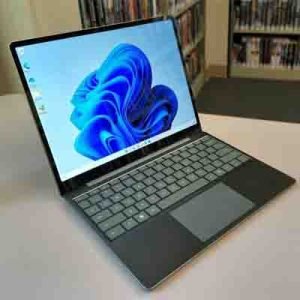





Choosing a computer is about more than simply looking for the highest specification. The best choice depends on how you intend to use it, where it will be used and which features matter most to you. From everyday home computing and office work to creative projects, gaming and demanding professional applications, computers are available in a wide range of formats and specifications.
For shoppers in the UK, it is useful to consider the balance between performance, portability, storage, connectivity and price. A computer used primarily for browsing websites, email, streaming and documents may not require the same hardware as a machine designed for video editing, software development or modern gaming. Matching the specification to your actual requirements can help you avoid paying for performance you do not need while ensuring the computer remains suitable for the tasks you expect it to handle.
Computers can be divided into several broad categories. Desktop computers are a popular choice for fixed workstations because they can offer strong performance, larger displays and greater opportunities for upgrades. They are particularly useful for home offices, gaming setups and demanding workloads where portability is not a priority.
Laptops provide a more flexible solution for people who need to work, study or browse from different locations. Their integrated screen, keyboard, battery and hardware make them convenient for students, professionals and home users. When comparing laptops, consider screen size, weight, battery expectations, processor performance, memory and storage capacity.
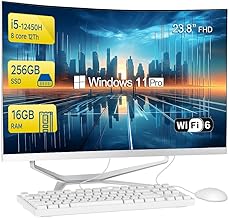
All-in-one computers combine the main computer components with a display in a single unit. This can create a cleaner and more organised desk setup while reducing cable clutter. They can be suitable for home offices, general productivity and shared family spaces where a straightforward desktop arrangement is preferred.
The processor, often referred to as the CPU, has a major influence on overall computing performance. Modern processors are available with different numbers of cores and performance levels, so it is important to compare the processor generation and capabilities rather than relying only on a brand name or clock speed.
RAM, or memory, affects how comfortably a computer can handle multiple applications and demanding workloads at the same time. More memory can be useful for multitasking, creative software, development environments and other memory-intensive activities. For basic computing, a more modest amount may be sufficient, while demanding users may benefit from a higher memory capacity.
Storage is another important consideration. Solid-state drives, commonly called SSDs, offer fast access to applications and files and are widely used in modern computers. Storage capacity determines how many programmes, documents, photographs, videos and other files can be kept locally. If you regularly work with large media files or extensive software libraries, additional storage can be particularly valuable.
Graphics capability varies considerably between computers. Integrated graphics can be suitable for everyday browsing, office applications, video playback and many general tasks. Dedicated graphics hardware can provide substantially more performance for gaming, 3D applications, video production and other graphics-intensive workloads.
When considering a computer for gaming or creative work, look beyond the graphics processor alone. Display resolution, refresh rate, processor performance, RAM, storage and cooling can all contribute to the overall experience. The ideal configuration depends on the software and applications you expect to use.
A home computer may need to handle a mixture of browsing, shopping, streaming, communications, documents and family entertainment. A work computer may place greater emphasis on multitasking, productivity software, video meetings and reliable connectivity. Students may prioritise portability, battery life, comfortable typing and a balance between performance and affordability.
If your requirements are likely to change, choosing a computer with some additional performance or storage capacity can provide useful headroom. It can also help extend the practical lifespan of the device as applications and operating systems become more demanding.
Connectivity is easy to overlook when comparing computers, but it can make a significant difference to everyday convenience. Check which USB ports, display outputs, networking options and wireless technologies are available and consider whether they match your existing peripherals and accessories.
For desktop setups, also consider the display, keyboard, mouse, speakers, webcam and other accessories required to create a complete workstation. Laptop users may want a docking solution, external monitor or additional peripherals if the computer will also be used regularly at a desk.
Start by identifying your main tasks and then establish a realistic specification for those activities. Compare processor performance, RAM, storage, graphics capability, display characteristics and connectivity. Physical dimensions and portability should also be considered if desk space or frequent travel is important.
It is also worth considering future requirements. A computer that comfortably meets today's needs may offer better long-term value if it has sufficient performance, storage and memory capacity for tomorrow's applications. Compare the complete specification rather than focusing on a single component.
The right computer should provide a practical combination of performance, usability and features for the way you actually work, study or relax. By understanding the differences between computer types and comparing the specifications that matter to you, it becomes easier to narrow down the available choices.
Use this Computers category as a starting point for researching suitable options for the UK market. Whether you need a dependable everyday machine, a productive home-office computer, a portable system for study or a higher-performance setup for demanding applications, careful comparison can help you make a more informed purchasing decision.