

♥ Wishlist


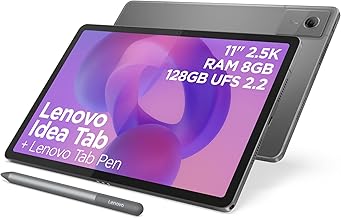


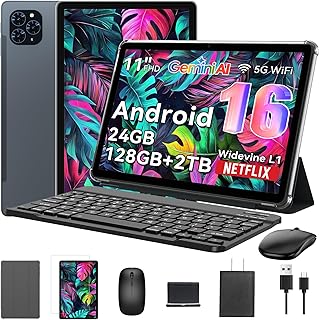


Tablets offer a convenient balance between the portability of a smartphone and the larger display of a laptop. Whether you need a device for studying, streaming films, browsing the web, working remotely, reading, gaming or keeping the family entertained, the right tablet can make everyday digital tasks easier. Our tablets category is designed to help UK shoppers explore the different types, sizes and features available before choosing a device that suits their needs and budget.
When comparing tablets, start by thinking about how you intend to use the device. A compact tablet can be ideal for reading, travel and casual browsing, while a larger-screen model may be more comfortable for watching videos, working with documents or using creative applications. If you want a tablet for children, portability, simple controls and suitable parental features may be more important than advanced performance. For productivity, consider models with strong processors, useful multitasking capabilities and compatibility with keyboards or other accessories.
Screen size is one of the most noticeable differences between tablets. Smaller models are easy to hold and carry, making them useful for commuters, travellers and readers. Mid-sized tablets can provide a practical compromise between portability and screen space, making them suitable for general browsing, streaming and study. Larger tablets offer more room for documents, split-screen apps, drawing and entertainment, although they can be less convenient to carry around.
Screen resolution and display quality also matter. A sharp, bright display can improve the experience when watching films, viewing photographs, reading websites or working on visual projects. If you frequently use a tablet for entertainment, look for a display that provides comfortable viewing and good detail. For reading for long periods, consider screen characteristics that help make text clear and easy to view.
The operating system affects how a tablet works, which apps are available and how easily it integrates with your other devices. Popular tablet platforms include Android, iPadOS and Windows, with each offering different software ecosystems and user experiences. Android tablets provide access to a broad selection of applications and hardware options. iPadOS is designed around Apple's tablet range and can be particularly useful for users already invested in Apple devices. Windows tablets can appeal to people who want a more traditional PC-style environment for compatible productivity software.
Before buying, check whether the applications you regularly use are supported by your preferred tablet. Compatibility with cloud services, office software, streaming platforms, educational applications and accessories can make a significant difference to long-term satisfaction.
A tablet can be a useful alternative or companion to a laptop for students and professionals. For taking notes, reading digital textbooks, attending online meetings and reviewing documents, a lightweight tablet can be convenient to carry between home, school, university and work. Models that support a keyboard or stylus can provide additional flexibility for typing, handwriting, drawing and annotation.
For demanding productivity, pay attention to processor performance, memory, storage and accessory compatibility. If you regularly work with large files or multiple applications, choosing a model with sufficient performance and storage can help avoid limitations later. Students should also consider battery life, portability and the availability of educational applications.
Tablets are popular entertainment devices because they provide a larger viewing area than most smartphones without the bulk of a traditional computer. A good display, capable speakers, sufficient storage and reliable wireless connectivity can improve the experience when streaming films, watching videos, listening to music or browsing social media.
For gaming, performance is particularly important. Consider the processor, graphics capabilities, memory and display responsiveness. Storage capacity is also worth checking if you expect to install many games or download media for offline use. Battery capacity can be important for long journeys or extended entertainment sessions.
Storage determines how many apps, photographs, videos, documents and downloaded files a tablet can hold. If you mainly stream content and use cloud storage, a lower storage capacity may be sufficient. Users who keep large media libraries or install demanding applications may benefit from more internal storage.
Battery life is another important consideration, particularly if the tablet will be used away from home. Compare manufacturer battery claims carefully because actual usage can vary depending on brightness, applications, connectivity and other settings. Connectivity options also deserve attention. Wi-Fi tablets can be suitable for home and office use, while tablets with mobile connectivity can provide internet access in more locations when paired with an appropriate mobile data plan.
There is no single best tablet for every shopper. The ideal choice depends on your intended use, preferred operating system, screen size, performance requirements and budget. Start by defining your main tasks and then compare the specifications that directly affect those activities. Think about portability if you travel frequently, display quality if entertainment is a priority, and accessory support if you plan to use a keyboard or stylus.
It is also sensible to consider the total cost of ownership. A tablet may require a protective case, keyboard, stylus, charger or other accessories depending on how you intend to use it. Checking warranty information, software support and storage requirements can help you make a more informed purchasing decision.
Comparing tablets side by side can make it easier to identify the differences that matter most. Look beyond headline specifications and consider how each device fits your everyday routine. A premium tablet may be worthwhile for intensive work or creative tasks, while a more affordable model can provide excellent value for browsing, video streaming and basic study.
For UK shoppers, comparing prices and specifications before purchasing can help you find a tablet that delivers the right combination of features and value. Whether you are replacing an older device, buying your first tablet or looking for a portable second screen for work and entertainment, exploring the available options can help you choose with greater confidence.