

♥ Wishlist


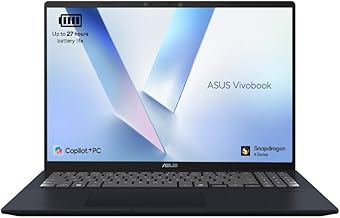


A laptop can be a versatile choice for working, studying, browsing the web, streaming entertainment, creating content and staying productive at home or on the move. With so many specifications and designs available, choosing the right model starts with understanding how you plan to use it. Whether you need a dependable everyday computer, a portable device for university, a powerful machine for demanding software or a dedicated gaming laptop, comparing the right features can make your buying decision much easier.
When shopping for laptops in the UK, consider the balance between performance, portability, battery life, display quality and price. A compact laptop may be ideal for commuting and study, while a larger screen can provide a more comfortable workspace for office applications, creative projects and entertainment. Performance requirements also vary considerably, so it is worth selecting specifications based on the software and tasks you regularly use rather than simply choosing the highest specification available.
Work laptops are designed to handle everyday productivity tasks such as email, video meetings, web applications, document editing and spreadsheets. For many users, a reliable processor, sufficient RAM, fast solid-state storage and a comfortable keyboard are more important than specialist graphics hardware. A good selection can provide responsive performance throughout a working day while remaining practical for use at home, in an office or while travelling.
Students often need a laptop that combines portability with dependable everyday performance. A lightweight design, long battery life, clear display and fast storage can be particularly useful when moving between home, classrooms, libraries and other study locations. Depending on the course, additional performance may be required for programming, engineering, design, media production or specialist academic software.
Gaming laptops are built for demanding graphics and processor-intensive workloads. Important specifications can include a dedicated graphics processor, capable CPU, adequate memory, fast storage and a high-quality display. Features such as refresh rate, cooling, keyboard design and connectivity can also affect the overall gaming experience. Buyers should compare the complete specification rather than focusing on a single component.
For general home use, a laptop can provide everything needed for browsing, online shopping, streaming, communication, light productivity and personal tasks. An affordable model with a modern processor, solid-state drive and suitable memory can offer a responsive experience without paying for performance that may never be used.
The processor is one of the main components affecting overall performance. Modern processors are available across a broad range of performance levels, from efficient options for basic computing to powerful chips designed for demanding applications. RAM also matters when multitasking, particularly when several browser tabs and applications are open at the same time.
Storage is another important consideration. Solid-state drives generally provide fast startup and application loading, while capacity determines how many files, applications, photos and videos can be stored locally. Think about how much storage you realistically need and whether you regularly use cloud storage or external drives.
The display should also match your intended use. Screen size affects portability and workspace, while resolution and panel characteristics influence image clarity and viewing comfort. If you frequently work with photographs, video or creative applications, display quality may deserve greater priority. For travel and study, a lighter and more compact design may be the better compromise.
If you regularly carry your laptop, weight, dimensions and battery performance become important purchasing factors. A compact device can be easier to transport, while a larger model may provide more screen space and room for additional hardware. Battery performance can vary depending on the processor, display, applications and usage patterns, so manufacturer specifications should be considered alongside your expected workload.
Connectivity is equally important. Check which ports are included for accessories such as external displays, storage devices, headphones and other peripherals. Wireless connectivity can also be important for modern home, office and travel use. Before purchasing, make sure the laptop provides the connections and compatibility required by your existing equipment.
Comparing laptops by intended use, specifications and overall value can help narrow a large selection into a manageable shortlist. Start with your essential requirements, such as screen size, operating system, memory, storage and performance. Then consider useful extras such as portability, display quality, connectivity and design. This approach helps prevent paying for features that do not provide meaningful benefits for your particular use.
Whether you are replacing an older computer, preparing for university, upgrading your home technology or looking for a gaming system, the right laptop should offer a practical combination of performance and usability. Explore the available options, compare specifications carefully and choose a laptop that fits both your current requirements and the way you expect to use it in the future.
Find laptops suited to modern work, study, entertainment, gaming and everyday computing. Compare different laptop sizes, processors, memory, storage, display features and designs to help choose a device that matches your needs and budget in the UK.