

♥ Wishlist
Our experts reviewed the latest {category_name } to help you compare quality, performance, durability and overall value before making your purchase.


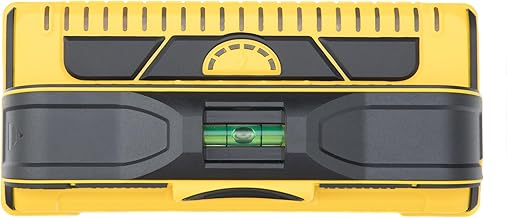


Choosing a cordless wall scanner is less about finding the longest quoted detection depth and more about selecting a detector that suits the materials, wall construction and type of work you actually encounter. A scanner used for occasional picture hanging has very different requirements from one used before drilling, chasing, coring or making penetrations through concrete, blockwork or partition walls. Makita's DWD181 family is particularly relevant to buyers who already use the Makita LXT battery platform. The DWD181 is designed to locate embedded materials including metal, plastic pipe, wood and shielded electrical wiring, while providing visual information about the detected object's position and depth. Manufacturer documentation lists a maximum detection depth of up to 180mm for metal under specified conditions, with lower maximum depths for other materials. The important qualification is that a maximum detection figure should never be interpreted as a guarantee that every object will be detected at that depth. Detection performance depends on the object's size, shape and material, as well as the construction and condition of the surface being scanned. The manufacturer's manual specifically notes these variables when describing detection depth and accuracy. For UK buyers comparing Makita cordless wall scanners, the DWD181ZJ is the principal model to understand. It is an 18V/14.4V LXT rechargeable wall scanner intended for locating embedded objects across several surface types. Depending on the material and scanning conditions, published specifications include detection depths of up to 180mm for metal, 120mm for plastic pipe, 120mm for shielded cable and 25mm for wood in plasterboard-type applications. Detection accuracy is specified at approximately ±5mm under the manufacturer's stated test conditions. The scanner also provides a large full-colour display, selectable scanning modes, a laser guide, an integrated job light and a multi-detection function capable of displaying up to three detection results. Makita documentation also specifies IP54 protection and an operating temperature range of approximately -10°C to +40°C. One of the most important buying details is the battery configuration. The DWD181ZJ is commonly supplied as a bare tool, meaning the battery and charger may need to be purchased separately. This matters when comparing the real cost of ownership with a complete kit or with a different scanner platform. Detection depth is one of the easiest specifications to misunderstand. A headline figure such as 180mm sounds straightforward, but it represents a particular detection capability rather than a universal operating depth for every material. Metal is the area in which the DWD181 specification reaches its headline maximum. Manufacturer information lists up to 180mm for metal in concrete. This can make the scanner attractive for construction, refurbishment and drilling preparation where reinforcement or other metallic objects may be concealed behind a substantial surface layer. Even when a scanner has a high maximum depth, the physical characteristics of the target still matter. A large, conductive object can behave differently from a small or awkwardly positioned object. Surface composition, reinforcement density and the presence of several nearby targets can also influence how easy the result is to interpret. Published Makita specifications give a maximum detection depth of approximately 120mm for plastic pipe in concrete. This is substantially less than the headline metal figure and demonstrates why buyers should compare depth by target material rather than looking only at the largest number in a specification table. Plastic plumbing can also present a more difficult detection scenario than a large metallic object. Pipe dimensions, orientation and whether the pipe contains water can affect the scanning result. The correct operating mode and a controlled scanning technique are therefore just as important as the nominal capability of the detector. The DWD181 is designed to detect shielded electrical wire, with manufacturer information listing a maximum detection depth of approximately 120mm in relevant applications. Buyers should nevertheless treat a wall scanner as a detection aid rather than as permission to drill into an apparently clear area. Electrical installations can vary considerably between buildings. Cable routes may not follow modern conventions, older installations can differ from current practice and multiple materials may overlap. Where drilling, cutting or coring could create a safety risk, the scanner should form part of a wider assessment rather than being the sole basis for deciding that an area is safe. For wood behind plasterboard or similar partition material, the quoted maximum depth is much lower, at approximately 25mm. This is still useful for locating studs and timber elements close to the surface, but it illustrates why buyers should not assume that a scanner capable of detecting metal at 180mm will provide equivalent performance with timber. A high-quality detector needs more than a powerful sensor. The way the scanner interprets its surroundings can make a substantial difference to usability. The DWD181 provides selectable modes for different base materials, including dry concrete, wet concrete, partitions and radar-style scanning. Dry concrete scanning is relevant to many building and renovation applications. Concrete can contain reinforcement, conduits, pipes and other embedded materials, so the ability to select an appropriate material mode helps the scanner interpret the surface more effectively. Wet concrete can produce different scanning conditions from dry concrete. A scanner designed with a dedicated wet-concrete mode is therefore more versatile for construction environments where moisture is present or where the surface has not reached the same condition as an established dry substrate. Partition mode is particularly relevant to plasterboard and lightweight internal walls. This is the setting buyers should consider when the main task is locating timber studs or other concealed components in partition construction rather than scanning a solid concrete wall. A radar-style display can be useful when the operator needs a broader visual representation of what the scanner is encountering. Rather than treating every on-screen indication as an isolated yes-or-no result, the operator can look for patterns while moving the scanner consistently across the surface. The DWD181 uses a large full-colour display measuring approximately 4.1 inches. The screen is intended to communicate information such as the detected object's position and depth rather than simply illuminating a single warning indicator. This matters when several potential targets are close together. A simple stud finder can be sufficient for a straightforward partition-wall task, whereas a more sophisticated scanner can provide considerably more information when working around multiple concealed materials. For professional users, display readability should be considered alongside detection capability. A detector that produces useful information but is difficult to interpret while standing in an awkward position, working in a dim area or scanning a large wall can become frustrating in practice. The DWD181 combines its colour screen with an LED job light, making the interface more practical for site work. Multi-detection mode allows up to three parallel detection results to be shown at the same time. Makita specifically highlights this function for identifying objects that may run diagonally and for confirming detection across a wider area. This feature is particularly useful when scanning before drilling several holes, creating penetrations or assessing a larger section of wall. Instead of repeatedly checking one narrow line at a time, the operator can compare adjacent scan paths and look for a consistent indication. However, multi-detection should not encourage faster scanning at the expense of accuracy. Controlled movement and repeated confirmation remain important, particularly where a mistaken interpretation could damage a pipe, cable or structural component. The integrated laser guide is designed to show the vertical centre of the sensor and the direction of the scan. This provides a visible reference point when transferring a detected position to the wall or when maintaining a straight scanning path. A laser guide is more than a convenience when accurate marking matters. If the detected object needs to be avoided by a particular margin, knowing where the centre of the sensing area is can make the transition from detection to marking much easier. Users should still follow the manufacturer's operating instructions for the laser and avoid treating the visible laser line itself as the location of a concealed object. The sensor's detection information is what should be interpreted when establishing the target position. One of the strongest reasons to consider a Makita cordless wall scanner is platform compatibility. The DWD181 is designed around the 14.4V and 18V LXT battery system, allowing suitable existing batteries to be used rather than requiring a completely separate battery ecosystem. This can significantly change which package represents the best value. Someone who already owns several compatible Makita LXT batteries may only need the scanner body and case. A first-time buyer, by contrast, needs to account for the cost of an appropriate battery and charger. Published Makita information gives different approximate operating times according to battery capacity, with a 6.0Ah battery quoted at up to around 28 hours under specified conditions. Runtime figures should be treated as manufacturer specifications rather than a promise of continuous real-world scanning for that entire period. Before comparing prices, establish exactly what each listing contains. A body-only DWD181ZJ package can look considerably cheaper than a kit until the cost of a suitable battery and charger is added. For a tool intended for construction and refurbishment environments, physical protection is an important buying consideration. The DWD181 is specified with IP54 protection, while Makita describes its design as incorporating protection against dust and water exposure. IP54 does not mean waterproof. Buyers should distinguish between resistance to dust ingress and water splashes and the ability to operate in heavy rain, standing water or other unsuitable conditions. The manufacturer's stated operating temperature range is also relevant when the scanner is used on sites with significant seasonal temperature variation. Storage is equally important. A scanner is a precision measuring instrument, so protecting it from unnecessary impacts, moisture and contamination can be just as important as choosing the correct model. A stated accuracy of approximately ±5mm is useful when comparing detectors, but it should not be interpreted as a universal guarantee across every material, depth and wall construction. Makita's manual qualifies the accuracy specification according to the particular detection conditions and target. For buyers, the practical lesson is simple: accuracy should be considered together with repeatability, target identification, display information and scanning technique. A detector that gives a precise-looking number is not automatically more useful than one that gives a clear indication of the target's centre and surrounding response. The manufacturer's specification lists a minimum detectable distance of approximately 40mm between adjacent objects. This specification is important in crowded walls. Closely positioned reinforcement, conduits, pipes or other embedded materials can make interpretation more complicated than finding one isolated target in an otherwise empty surface. When scanning an area with several indications, do not assume that every displayed response represents a separate object. Repeating the scan from different directions and using the available display information can help distinguish a genuine target from a complex or overlapping response. A scanner of this type is most useful when the consequences of drilling or cutting into an unknown wall are significant. Typical applications include: Not every household job requires a professional multi-surface scanner. If the only task is locating timber studs in standard plasterboard, a simpler stud finder may be more economical and easier to use. Likewise, buyers who do not already own compatible Makita batteries should consider whether the LXT platform provides enough additional value to justify the total equipment cost. A specialist wall scanner makes more sense when its additional detection capability will actually be used. The best buying decision therefore depends on the work rather than the prestige of the tool. Professional-level specifications are useful only when the application benefits from them. A basic stud finder and a multi-surface wall scanner solve related but different problems. Stud finders are generally aimed at locating framing members behind wall coverings, while a multi-surface scanner is designed to provide information about a wider range of embedded materials. A laser distance measure and a wall scanner should not be treated as substitutes. A distance measure tells you how far something is; a wall scanner helps identify what may be hidden within a surface. For renovation and installation work, the two tools can complement one another. The scanner can help establish where concealed objects are located, while a distance measure can help transfer dimensions, positions and installation measurements accurately. A dedicated electrical detector may be preferable when electrical detection is the sole priority and the user does not require the broader material-detection functions of a construction scanner. The advantage of the DWD181 is versatility: its intended detection range includes several categories of concealed materials and multiple base-material modes. For electrical work, however, the consequences of a missed cable can be serious. The scanner should therefore be regarded as an aid to locating concealed objects rather than as a replacement for competent electrical assessment and safe working procedures. Good technique can be as important as the specification of the detector. Before scanning, remove unnecessary loose objects from the surface and identify the construction material as accurately as possible. The maximum detection depth is one of the least useful specifications when considered without context. A buyer should examine depth by material, accuracy, minimum target spacing and operating mode. Concrete, wet concrete, plasterboard and hollow construction can produce different scanning conditions. Selecting the wrong mode can reduce the usefulness of the information displayed. Fast movement can make it harder to identify the centre and extent of a target. A deliberate scanning pattern generally provides more useful information than trying to cover the surface as quickly as possible. Wall scanners can detect several types of concealed material. An indication should therefore be interpreted in context rather than automatically classified as electrical wiring. Older buildings, extensions, converted properties and non-standard construction can contain installations that do not follow the assumptions made from modern building practices. Always consider what is physically plausible within the wall. A single scan provides less information than repeated passes across the same area. Confirmation is particularly important before drilling or cutting. When comparing listings, create a specification checklist rather than judging models by price alone. Makita's published figures place the scanner's skin weight at around 1kg, with the working weight increasing when a battery is fitted. Depending on the battery configuration, manufacturer information gives a working weight in the region of 1.3kg to 1.7kg. This is worth considering if the scanner will be used continuously rather than for occasional checks. A heavier battery can increase runtime while also increasing the load in the hand. Buyers who already own several LXT batteries may therefore want to consider both capacity and physical weight when choosing which battery to use. A wall scanner should be treated as a precision tool rather than as an ordinary hand tool. Keep the sensing area clean, protect the display from unnecessary impact and store the scanner in its case when it is not being used. This is the most important distinction in any wall-scanner buying guide. A detector can provide valuable information about possible concealed objects, but no electronic scanner should be treated as an absolute guarantee that an area is free from hazards. Buildings can contain unexpected cables, pipes, reinforcement, voids and alterations. A scanner's detection performance can also vary according to material, depth, object size, orientation and surrounding construction. Makita explicitly notes that these factors affect detection performance. Before drilling, cutting, chasing or coring, consider the intended work, the building's construction and the potential consequences of contacting concealed services. Where the risk is significant, appropriate professional assessment should take precedence over relying solely on a consumer or professional detection device. There is little value in paying for advanced detection capability if the intended task does not require it. A homeowner who occasionally needs to locate studs for shelves or pictures may find a simpler detector more convenient. Similarly, users who need highly specialised information about particular construction materials may be better served by a detector designed specifically for that application. The right tool is the one whose sensing capabilities match the actual risk and material conditions of the job. The cheapest wall scanner is not necessarily the best value, and the most sophisticated scanner is not necessarily the right choice. Value comes from matching capability to frequency of use, existing battery ownership, required detection depth and the consequences of a missed target. For an existing Makita LXT user, platform compatibility can make the DWD181 more attractive because the buyer may already have the required power source. For someone starting from scratch, the complete cost should include the battery, charger and any required storage equipment. It is also sensible to compare the scanner's capabilities with the cost of the work it is intended to protect. If avoiding one damaged pipe, cable or embedded component could prevent substantial disruption, a more capable detection system may provide considerably more practical value than its purchase price alone suggests. Makita documentation lists a maximum detection depth of up to 180mm for metal under specified conditions. The quoted maximum is lower for other materials, including approximately 120mm for plastic pipe and shielded cable and approximately 25mm for wood in relevant partition applications. Yes. The DWD181 is designed for scanning construction materials including concrete, and its selectable modes include dry concrete and wet concrete settings. Manufacturer specifications state that the scanner can detect plastic pipe, with a published maximum depth of approximately 120mm in relevant concrete applications. Actual detection depends on the pipe and surrounding construction. The DWD181 is designed to detect shielded electrical wire, with manufacturer documentation listing a maximum detection depth of approximately 120mm in relevant applications. It should not, however, be treated as a substitute for appropriate electrical safety procedures. Yes. It operates using Makita's 14.4V or 18V LXT lithium-ion battery platform. Exact battery compatibility and package contents should be checked against the specific model and retailer listing before purchase. Many DWD181ZJ listings are body-only packages. Manufacturer information identifies the DWD181ZJ as a scanner supplied without a battery and charger, although package contents can vary by market and seller. Always check the exact listing before ordering. Makita specifies approximately ±5mm detection accuracy under stated conditions. The manual makes clear that detection results depend on the target and the construction being scanned, so the specification should not be interpreted as an identical tolerance for every possible application. Yes. The scanner uses a large full-colour display of approximately 4.1 inches to show detection information such as object position and depth. Multi-detection mode can display up to three detection results simultaneously. It is intended to assist with wider scanning and situations where concealed objects may run diagonally or where additional confirmation is useful. No. The scanner is specified as IP54 protected, which should be understood as a level of dust and water resistance rather than waterproof construction. The tool should be operated and stored within the environmental conditions specified by Makita. It depends on the work. If you only need to find studs occasionally, a simpler detector may be sufficient. If you regularly drill into concrete, renovate older properties or need to investigate possible pipes, cables and metal reinforcement, a multi-surface scanner can provide substantially more information. Its construction, multi-surface detection capabilities, display, scanning modes, battery platform and IP54 protection make it relevant to professional construction and installation applications. Suitability should still be judged against the specific work, required accuracy and safety procedures of the user. Before choosing a Makita cordless wall scanner, concentrate on the specifications that affect your actual work rather than simply selecting the model with the largest headline number. The most useful comparison is not simply a ranking based on a single specification. A good buying decision considers detection capability, material compatibility, accuracy, user interface, battery requirements, ergonomics, protection, package contents and the type of work the scanner will actually perform. For buyers investigating the Makita cordless wall scanner range, the DWD181 provides a particularly broad feature set: multi-material detection, selectable base-material modes, a colour display, multi-detection functionality, a laser guide, job light and compatibility with the 14.4V/18V LXT platform. The final choice should nevertheless be based on application rather than specification-sheet appeal. Compare the exact package, understand the difference between detection depths for different materials, account for battery and charger requirements, and use independent customer feedback to identify recurring ownership issues before buying. The strongest reason to consider a Makita cordless wall scanner is versatility. Instead of being limited to locating timber studs, a multi-surface scanner can help investigate a much wider range of concealed materials across concrete and partition construction. The DWD181 combines that versatility with a large colour display, multiple scanning modes, multi-detection functionality and the convenience of the Makita LXT battery platform. The specification that deserves the most attention is not simply the 180mm headline depth. Buyers should examine what can actually be detected at the required depth, how accurately the target can be located, how closely adjacent objects can be distinguished, which scanning mode is appropriate and whether the required battery and charger are included. For occasional household jobs, a simpler detector may be enough. For tradespeople, installers, renovators and existing Makita LXT users who need to investigate concealed materials before drilling or cutting, a dedicated multi-surface scanner can be a much more appropriate investment. Always verify current specifications, package contents and retailer information before purchase, as manufacturer specifications and supplied accessories can change.
Makita Cordless Wall Scanner: What to Look For Before Buying
Makita DWD181ZJ at a Glance
Understanding Detection Depth Properly
Metal detection
Plastic pipe detection
Electrical cable detection
Wood and studs
Why the Scanning Mode Matters
Dry concrete mode
Wet concrete mode
Partition mode
Radar view mode
How the 4.1-Inch Colour Display Helps
Multi-Detection Mode: An Important Feature for Large Surfaces
Laser Guide and Centre Positioning
Battery Compatibility and Total Cost
Bare Tool or Complete Kit?
Build Quality and Site Suitability
Accuracy: What ±5mm Really Means
Minimum Distance Between Detected Objects
Best Uses for a Makita Cordless Wall Scanner
When a Makita DWD181 May Be More Scanner Than You Need
Makita DWD181 Compared With a Basic Stud Finder
Makita DWD181 Compared With a Laser Distance Measure
Makita DWD181 Compared With a Dedicated Cable Detector
How to Scan a Wall More Reliably
Common Wall-Scanning Mistakes
Relying only on maximum depth
Using the wrong material setting
Scanning too quickly
Assuming every signal is a cable
Ignoring building construction
Failing to confirm a detection
How to Compare Makita Wall Scanner Specifications
Weight, Handling and Ergonomics
Storage and Maintenance Guidance
Safety: What a Wall Scanner Can and Cannot Tell You
Who Should Consider Buying a Makita DWD181?
Who May Prefer a Simpler Alternative?
Buying Mistakes to Avoid in 2026
How to Judge Value Rather Than Price
Questions to Ask Before You Buy
Frequently Asked Questions About Makita Cordless Wall Scanners
What is the maximum detection depth of the Makita DWD181?
Is the Makita DWD181 suitable for concrete?
Can the Makita DWD181 detect pipes?
Can it detect electrical cables?
Is the Makita DWD181 cordless?
Does the DWD181 come with a battery?
How accurate is the Makita DWD181?
Does the Makita DWD181 have a display?
What is multi-detection mode?
Is the Makita DWD181 waterproof?
Is a professional wall scanner worth buying for home use?
Is the Makita DWD181 suitable for professional use?
Final Buying Checklist
Our Approach to Choosing the Right Makita Wall Scanner
Key Takeaway for UK Buyers