

♥ Wishlist


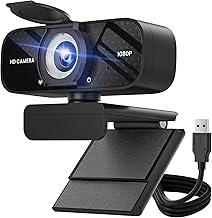


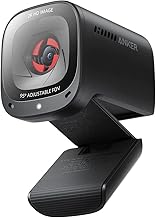


A webcam is an essential accessory for video conferencing, online learning, live streaming, content creation, and virtual meetings. Whether you're attending business meetings, teaching online, creating YouTube videos, or streaming on platforms like Twitch, a high-quality webcam delivers sharper video, better colour accuracy, and improved low-light performance than most built-in laptop cameras. Modern webcams offer Full HD, 2K, and 4K resolution, autofocus, AI-powered tracking, noise-reducing microphones, HDR, and wide-angle lenses to suit different users and budgets.
At Toptopdeal.com, shoppers across the United Kingdom (UK) can compare the latest Webcams UK from trusted brands, helping them find the ideal webcam for work, gaming, streaming, education, and everyday communication.
Choose from 1080p Full HD, 2K, or 4K webcams for sharp video quality during meetings, live streams, and recordings.
Many webcams feature integrated microphones with noise reduction for clearer voice communication without requiring a separate microphone.
Autofocus keeps your face sharp even when you move closer to or farther from the camera.
Wide field-of-view options allow more people or background content to fit comfortably within the frame.
Most webcams connect via USB and work with Windows, macOS, ChromeOS, and many Linux systems without complicated installation.
Ideal for Zoom, Microsoft Teams, Google Meet, Skype, Discord, and other video conferencing platforms.
Higher-resolution webcams provide smooth, detailed video for YouTube, Twitch, and social media streaming.
Premium webcams automatically adjust exposure and brightness for better image quality in dimly lit rooms.
Some advanced webcams include AI auto-framing, face tracking, gesture control, and background enhancement.
Glass lenses generally deliver sharper images and improved colour compared to plastic lenses.
Universal monitor clips allow secure attachment to laptops, monitors, or tripods.
Quality webcams are built using robust materials for long-term reliability.
Many models include built-in privacy covers that protect your privacy when the webcam is not in use.
Perfect for video meetings, online classes, and everyday communication.
Designed for professionals, content creators, and high-quality video production.
Optimised for YouTube, Twitch, podcasts, and live broadcasting.
Offer intelligent auto-framing, face tracking, HDR, and enhanced video processing.
Suitable for professional conferencing, remote work, and office environments.
Compact and lightweight models ideal for travel and hybrid working.
Produces sharper, brighter, and more natural-looking video than many built-in laptop cameras.
Plug-and-play functionality allows quick installation with minimal configuration.
Works with most major operating systems and video conferencing applications.
Can be mounted on monitors, laptops, tripods, or desks for the ideal viewing angle.
High-quality webcams help improve presentation during meetings and online interviews.
Perfect for work, education, gaming, streaming, and content creation.
Advanced 4K webcams and AI-powered models are generally more expensive.
Good lighting significantly improves image quality even with premium webcams.
Desktop computers and some laptops require an available USB port.
Reliable webcams for professional meetings and hybrid work.
Perfect for online classes, virtual learning, and presentations.
Ideal for YouTube videos, podcasts, and livestreaming.
High-quality webcams for Twitch, Discord, and live gaming streams.
Excellent for video conferences, webinars, and client meetings.
Suitable for online tutoring, coaching, and virtual classrooms.
Full HD (1080p) is suitable for most users, while 4K webcams provide greater detail for professional content creation.
A webcam capable of 30fps or 60fps provides smoother video, particularly for streaming and presentations.
Autofocus keeps you sharp and clear throughout meetings and recordings.
Choose webcams with HDR or automatic light correction if you frequently work in dim environments.
Built-in dual microphones with noise reduction improve voice clarity during calls.
Ensure the webcam supports your operating system and preferred conferencing software.
Established manufacturers generally offer better image quality, software support, firmware updates, and long-term reliability.
At Toptopdeal.com, customers throughout the United Kingdom can compare a comprehensive range of Webcams UK, including 1080p Full HD webcams, 2K webcams, 4K webcams, AI-powered webcams, streaming webcams, business webcams, USB webcams, and portable webcams from trusted brands such as Logitech, Razer, Dell, Microsoft, Elgato, OBSBOT, Insta360, Anker, HP, and Lenovo. Whether you're working from home, attending online classes, livestreaming, or recording professional content, our expert buying guides and detailed product comparisons help you choose the best webcam for image quality, performance, and value.