

♥ Wishlist


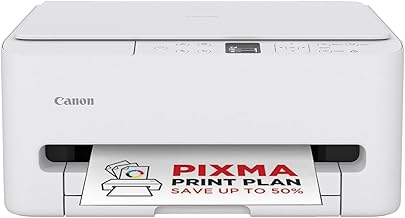


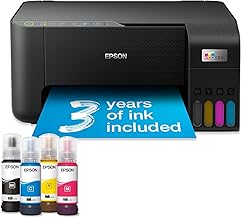


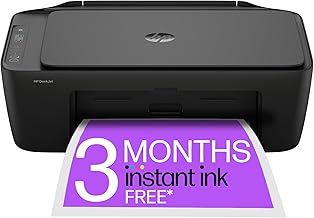


A printer remains a useful addition to many homes, offices and small businesses, providing convenient access to physical copies of documents, photographs, forms, labels and other everyday materials. The best printer depends on how often you print, what you print and how much you are prepared to spend on ongoing supplies. A model that is ideal for occasional household documents may not be suitable for a busy office, while a specialist photo printer may offer features that are unnecessary for basic paperwork.
Inkjet printers are a popular choice for home users because they can handle both text and colour printing. Many models are suitable for photographs, schoolwork, general documents and occasional creative projects. If you need versatile colour output without buying a dedicated photo printer, an inkjet can be a practical option.
Laser printers are often considered for offices and users who print a high volume of documents. They are particularly well suited to sharp text and fast document printing. Monochrome laser printers can be useful when most printing is black and white, while colour laser models provide a broader range of business printing capabilities.
All-in-one printers combine printing with additional functions such as scanning and copying. They can save desk space and reduce the need for separate devices, making them useful for home offices, students and small businesses that need several document-handling functions in one machine.
Photo printers are designed with image quality and colour reproduction in mind. If printing photographs is a priority, look for a model that supports suitable photo paper, offers high-quality colour output and provides the connectivity options you prefer for transferring images from computers or mobile devices.
Printer specifications can vary considerably, so compare features according to your actual workload. Print speed is important for users producing multiple pages regularly, while print resolution can be relevant for detailed graphics and photographs. Automatic duplex printing can help reduce paper consumption by printing on both sides of compatible sheets.
Connectivity is another important consideration. Wi-Fi printing can make it easier to place a printer away from your main computer and allows compatible devices to send documents wirelessly. USB connectivity can provide a straightforward wired option, while mobile printing support may be useful for smartphones and tablets.
The purchase price is only one part of the overall cost of owning a printer. Ink and toner requirements can have a significant effect on long-term spending, particularly if you print frequently. Before choosing a model, consider cartridge capacity, estimated page yields and the availability of replacement supplies.
For users with substantial printing requirements, printers designed around high-capacity ink systems may be worth considering. For occasional printing, a more straightforward cartridge-based model may be sufficient. Comparing expected usage with consumable costs can help you avoid selecting a printer that appears inexpensive initially but becomes costly over time.
A home printer should match the type and frequency of documents you normally produce. Students and families may benefit from a versatile colour printer capable of handling worksheets, forms, school projects and photographs. If space is limited, a compact printer or multifunction model can provide useful functionality without taking up unnecessary desk space.
Home-office and small-business users may need faster printing, larger paper capacities and dependable connectivity. Automatic document handling, duplex printing and scanning can be particularly useful when managing invoices, reports, correspondence and administrative paperwork. Consider your typical monthly workload rather than choosing solely according to maximum advertised specifications.
Start by identifying whether your priority is low running costs, fast document output, high-quality colour, compact dimensions or multifunction capability. Then compare printer technology, supported paper sizes, print speeds, connectivity and consumable costs. It is also useful to consider the available workspace and whether you need features such as automatic duplex printing or scanning.
For UK shoppers, check that the printer is suitable for your preferred paper formats and everyday requirements. A clear understanding of your usage can make it easier to narrow down the choices and select a printer that provides useful features without paying for specifications you are unlikely to use.
The right printer can simplify everything from occasional household documents to regular office administration. By comparing printer types, connectivity, print performance, paper handling and ongoing supply costs, you can make a more informed purchasing decision. Explore the available printer options and focus on the features that best match your printing habits, workspace and budget.
Find the right printer for your home, home office or workplace with a practical range of printing options designed around different needs and budgets. Whether you need an everyday printer for documents, a compact model for occasional use, a colour printer for creative projects or a reliable office printer for higher-volume workloads, choosing the right specification can make printing faster, easier and more economical. When comparing printers in the UK, consider more than the initial purchase price. Print technology, print speed, paper handling, connectivity, cartridge or ink costs, automatic duplex printing and the type of documents you regularly produce can all affect the long-term value of your choice.