

♥ Wishlist


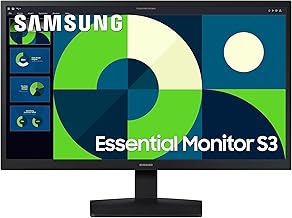


A good monitor can make a noticeable difference to everyday computing, whether you are working from home, building a gaming setup, studying, editing photos and video, or simply enjoying films and online content. The right display provides the clarity, responsiveness and viewing comfort needed for your particular tasks. This monitor category brings together the key features shoppers should consider when comparing screens for different environments and budgets.
Monitors come in a wide range of sizes and specifications, so the best choice depends on your desk space and intended use. Compact displays can suit smaller workstations, while larger screens provide more room for applications, documents and entertainment. A larger monitor can also reduce the need to switch between windows, making it useful for multitasking and productivity.
Common monitor sizes include 24-inch, 27-inch and larger displays. A 24-inch screen can be practical for everyday office work and smaller desks, while 27-inch models offer additional workspace without becoming excessively large for many setups. Ultrawide monitors provide a wider aspect ratio that can be useful for multiple applications, spreadsheets, video editing and immersive gaming.
Resolution affects how much detail a monitor can display. Full HD remains a practical choice for general computing, while QHD can provide a useful balance between sharpness and performance on medium-to-large screens. 4K monitors offer a high level of detail and can be particularly appealing for creative work, high-resolution media and users who want a crisp desktop experience.
Panel type can influence colour reproduction, viewing angles, contrast and response characteristics. IPS displays are popular for balanced image quality and wide viewing angles. VA panels can offer strong contrast, making them attractive for films and games. TN technology has traditionally been associated with fast response characteristics and competitive gaming, although modern gaming displays also offer advanced alternatives.
Gaming monitors are designed around responsiveness and smooth motion. When comparing a gaming display, consider refresh rate, response time, adaptive synchronisation support and resolution. Higher refresh rates can make fast-moving gameplay appear smoother, while suitable adaptive-sync technology can help reduce visible tearing when supported by compatible hardware. The best specification depends on your graphics hardware and the games you play.
Refresh rate describes how many times the screen can update each second and is measured in hertz. A standard 60Hz display can be suitable for everyday work, while higher-refresh-rate monitors are often preferred for gaming and other motion-heavy applications. Response time is another consideration, particularly for competitive gaming where reducing visible motion blur and ghosting can be important.
For office and home-working environments, comfort and connectivity can be just as important as resolution. Look for a screen with a suitable viewing size, adjustable stand, useful ports and a display that remains comfortable during extended sessions. Features such as height adjustment, tilt and swivel can help position the screen more naturally at a desk.
Check the available connections before buying a monitor. HDMI and DisplayPort are common choices for connecting modern computers, while USB ports can add convenience for peripherals on compatible models. Some displays also include USB-C connectivity and may support video, data and power delivery through a single cable. For multi-monitor workstations, consider both the computer's available outputs and the physical space available on the desk.
High-resolution monitors can provide a sharper image and more detailed workspace. They are useful for photo and video editing, detailed design work, productivity and high-resolution entertainment. However, higher resolutions can place greater demands on graphics hardware, especially when gaming. Consider the complete system rather than choosing resolution in isolation.
Start by identifying your main use. Office users may prioritise comfort, text clarity and connectivity, while gamers may focus on refresh rate and response performance. Creative users may place greater importance on colour accuracy and resolution. Next, check the screen size against your available desk space and viewing distance. Finally, compare ports, stand adjustment, warranty information and compatibility with your computer.
Monitor specifications can look similar while offering very different experiences. Compare resolution, panel type, refresh rate, response time, brightness, connectivity and ergonomic adjustment rather than relying on screen size alone. Think about which features you will actually use and select a balanced specification for your budget.
UK shoppers should consider the available desk space, intended connection method and compatibility with existing hardware before purchasing. Check product dimensions, stand footprint and mounting compatibility if you plan to use a monitor arm. For gaming, make sure the graphics card can take advantage of the chosen resolution and refresh rate. For work, consider whether a single larger display or two smaller monitors would better suit your workflow.
Whether you need a straightforward screen for everyday computing or a feature-rich display for gaming and creative work, comparing the important specifications can help you make a more confident choice. Focus on how the monitor will be used, then balance size, resolution, responsiveness, connectivity and ergonomics to find a display that fits your setup.
Find the right monitor for your setup with options suited to work, gaming, studying, creative tasks and everyday entertainment. Compare screen size, resolution, refresh rate, panel technology, connectivity and ergonomic features to choose a display that matches the way you use your computer.