

♥ Wishlist
Our experts reviewed the latest {category_name } to help you compare quality, performance, durability and overall value before making your purchase.


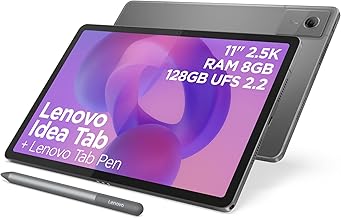




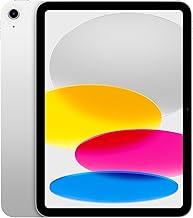
The best tablet is not necessarily the most powerful or the most expensive model. The right choice depends on how you intend to use it, how long you expect to keep it, which operating system fits your existing devices, and whether you need accessories such as a keyboard or stylus. A tablet used mainly for streaming and web browsing has very different requirements from one used for university work, digital art, photo editing, gaming or business productivity. Independent testing also shows why comparing tablets purely by price or processor specification can be misleading. A premium model can still fall short in areas such as battery performance or screen quality, while less expensive tablets can perform particularly well for straightforward everyday tasks. Before comparing individual models, identify the job the tablet needs to perform most often. This prevents paying for hardware that you are unlikely to use and helps highlight specifications that genuinely matter. Manufacturer specification sheets can contain dozens of figures, but not every specification has equal importance. The following criteria provide a more useful framework for comparing tablets from Apple, Samsung, Google, Microsoft, Lenovo, Amazon and other established manufacturers. The processor determines how quickly a tablet can perform many computational tasks, but the number of processor cores or headline clock speed should not be treated as a complete performance assessment. For ordinary browsing, video streaming, email, reading and basic productivity, a modern mid-range processor is often sufficient. More demanding users should consider the entire platform, including CPU performance, graphics capability, memory, software optimisation and thermal management. High-end tablets are particularly worthwhile when they will be used for demanding photo editing, video production, complex illustration, intensive multitasking or sophisticated games. If your workload rarely extends beyond a browser, office applications and streaming services, spending substantially more on flagship silicon may offer diminishing returns. RAM helps a tablet keep applications and working data readily available. More RAM can be beneficial when switching between numerous applications, editing large files or using demanding creative software. Storage capacity is one of the easiest specifications to overlook. Operating-system files and pre-installed applications consume part of the advertised capacity, leaving less usable space for your own files. Think about how you store photographs, downloaded films, games, music, documents and creative projects. Someone who primarily streams content may be perfectly comfortable with a smaller storage option, whereas a photographer or video editor can fill a modest drive surprisingly quickly. Expandable storage can materially change the calculation. For example, the Samsung Galaxy Tab S10 FE supports microSD expansion, with Samsung specifying support for cards of up to 2TB. By contrast, tablets without expandable storage require more careful consideration before purchase. Paying for additional internal storage can be worthwhile if you intend to keep a tablet for several years. Screen size influences portability, multitasking and comfort more than many buyers initially expect. Do not automatically choose the largest display. A tablet that is uncomfortable to hold or too bulky for your everyday bag may spend more time at home than intended. Higher resolution can produce sharper text and finer image detail, but screen quality is more than resolution alone. Pixel density, panel technology, brightness, contrast, colour reproduction, viewing angles and refresh rate all contribute to the overall experience. For reading documents, web pages and ebooks, sharp text is particularly important. For films and photography, contrast and colour performance become more noticeable. For drawing and animation, responsiveness and pen interaction may matter more than a small increase in pixel density. LCD panels remain common and can offer a strong balance of brightness, battery efficiency and cost. OLED technology can provide very deep blacks and high perceived contrast, making it particularly attractive for films, photography and premium creative work. Do not assume that one panel technology automatically makes a tablet better for every buyer. Consider the complete display specification and your typical environment. A screen that looks excellent indoors may behave differently outdoors, while glossy panels can introduce reflections under bright lighting. A higher refresh rate can make scrolling, animations and compatible games feel smoother. It can also make a stylus experience feel more responsive in certain applications. However, refresh rate should be considered alongside battery consumption and software optimisation. If your main activities are reading books, checking email and watching films, paying a large premium for an especially high refresh rate may not be necessary. A tablet can become a useful digital notebook, but stylus compatibility varies significantly between ecosystems and individual models. When comparing tablets for handwriting or drawing, investigate whether the required pen is included or sold separately, which generation of stylus is supported, whether pressure sensitivity is available, how the pen charges, and which applications support the available features. The Samsung Galaxy Tab S10 FE, for example, supports S Pen input and is positioned by Samsung for note-taking and creative applications. Apple's iPad range also has extensive stylus support, but compatibility differs between generations and Apple Pencil models. This is an area where checking the exact tablet model rather than simply buying an accessory labelled for “iPad” is essential. iPads remain particularly strong for buyers who value a mature tablet-focused application ecosystem, long-term integration with other Apple hardware and a wide selection of accessories and creative applications. The iPad family also spans a broad range of use cases, from relatively affordable everyday tablets to high-performance professional models. Current buying decisions should therefore focus on the exact generation, processor, display, storage and accessory compatibility rather than treating every iPad as equivalent. Samsung's Galaxy Tab range is one of the strongest alternatives for buyers who prefer Android. The ecosystem offers models aimed at different budgets and use cases, while features such as S Pen support and expandable storage on selected models can be particularly useful. The Galaxy Tab S10 FE illustrates how specifications can differ from premium flagship tablets without making the device unsuitable for everyday productivity. Samsung lists a 10.9-inch 2304 x 1440 display, 8GB or 12GB memory configurations depending on storage variant, microSD expansion, S Pen support and an 8,000mAh battery for this model. The Google Pixel Tablet takes a slightly different approach, combining a conventional Android tablet experience with features designed around Google's wider ecosystem and smart-home functionality. Google specifies a 10.95-inch LCD display with 2560 x 1600 resolution, 8GB of LPDDR5 RAM, 128GB or 256GB storage, a Tensor G2 processor and Wi-Fi 6 connectivity. Google also lists up to 12 hours of video streaming and five years of Pixel updates. This makes the Pixel Tablet an interesting option for buyers who want a straightforward Android tablet and already use Google services extensively. Windows tablets occupy a different category because they can function much more like conventional PCs. This can make them attractive for office users who depend on desktop software or want one device that can move between touch-first tablet use and keyboard-based productivity. The Surface Pro range, for example, combines a large 3:2 touchscreen with Windows software and laptop-style hardware configurations. Microsoft's current specifications include Intel Core Ultra processor options, up to 32GB LPDDR5x RAM and removable Gen 4 SSD configurations on the Intel version. The trade-off is that a Windows tablet can feel less like a traditional mobile tablet than an iPad or Android device. Buyers should therefore decide whether they want a tablet with PC capabilities or a mobile tablet that occasionally replaces a laptop. Battery capacity measured in mAh is not enough to predict real-world endurance because screen brightness, processor efficiency, wireless connectivity, application workload and software optimisation all affect consumption. Manufacturer battery estimates are useful for comparison but should not be interpreted as a guaranteed number of hours. Video playback, gaming, video calls and sustained productivity can produce very different results. For example, Samsung lists an 8,000mAh battery and up to 20 hours of wireless video playback for the Galaxy Tab S10 FE, while Google specifies up to 12 hours of video streaming for the Pixel Tablet. These figures come from different manufacturers and testing methodologies, so they should not be treated as a direct laboratory comparison. A tablet with strong endurance is more convenient, but charging speed and charger compatibility can also influence daily use. Check whether the required charger is included, what charging standard the device supports and whether your existing USB-C chargers are suitable. Tablet cameras are generally more useful for video calls, document scanning and occasional photographs than for replacing a dedicated smartphone camera. For video conferencing, pay attention to front-camera placement and field of view. A camera positioned for landscape use can be preferable for keyboard-based meetings, while portrait orientation may suit casual calls and social applications. Rear-camera resolution should not be judged in isolation. Autofocus, image processing, low-light performance and video capabilities all influence results. Samsung, for instance, specifies a 13MP autofocus rear camera and 12MP front camera for the Galaxy Tab S10 FE. Speakers can make a major difference when a tablet is used for films, television, music, gaming and video calls. Where possible, compare the number and placement of speakers rather than relying solely on advertised audio branding. Four-speaker arrangements can provide a wider presentation than basic stereo configurations, although the final experience still depends on enclosure design and tuning. Google lists four built-in speakers on the Pixel Tablet, while Samsung's Galaxy Tab range includes multi-speaker audio on relevant models. A Wi-Fi-only tablet is usually the simpler choice if you primarily use it at home, school, university, an office or locations with reliable Wi-Fi. A 5G or cellular model can be worthwhile for frequent travellers, commuters and professionals who need internet access without relying on public Wi-Fi. Remember to factor the ongoing cost and availability of a suitable mobile data plan into the total cost of ownership. USB-C has become an important consideration because it can handle charging, data transfer and, on compatible devices, external displays and accessories. However, two tablets with USB-C connectors can have very different capabilities. Check the actual USB specification if you plan to connect external storage, high-speed accessories, displays or professional equipment. The Samsung Galaxy Tab S10 FE, for example, specifies USB 2.0, while Google's Pixel Tablet specifies USB-C 3.2 Gen 1. A tablet's advertised purchase price may not represent the cost of the setup you actually need. This is particularly important when comparing an inexpensive tablet with a more expensive model that already supports the accessories you need. A lower initial price can become less attractive once essential accessories are added. Weight becomes increasingly important during prolonged handheld use. A tablet can be excellent on paper but uncomfortable to hold for an hour of reading or streaming. Also consider the weight of the complete setup. A tablet with a keyboard case, protective cover and stylus may be substantially heavier than the tablet alone. As one example, Google lists the Pixel Tablet at 493g, while Samsung lists the 10.9-inch Galaxy Tab S10 FE at 497g. The small difference demonstrates why dimensions, grip, accessory weight and screen size should be considered together rather than focusing on a single measurement. Build quality matters most when a tablet will be transported regularly or used by children. Aluminium construction can provide a premium feel, but the practical durability of a tablet also depends on its glass, frame design, buttons, charging port and protection against dust or water. Water and dust resistance can be especially valuable for travel and outdoor use. Samsung lists an IP68 rating for the Galaxy Tab S10 FE and Tab S10 FE+, which is a meaningful distinction when comparing tablets for more demanding environments. Regardless of certification, water resistance should not be treated as a reason to deliberately expose a device to liquid. Cases and sensible handling remain important. Software support is one of the most important long-term buying considerations because a tablet can remain physically usable for many years while becoming less attractive if applications, operating-system features or security updates are no longer supported. Before buying, check the manufacturer's stated update policy for the exact model. Do not assume that every device from the same brand receives the same support period. Google currently states five years of Pixel updates for the Pixel Tablet, while Samsung lists a security-update period extending to 30 April 2032 for the Galaxy Tab S10 FE. For a tablet intended to last four, five or more years, update support can be more important than a modest difference in processor performance today. Your existing devices should influence your decision. An iPhone owner may benefit from staying within Apple's ecosystem, while someone heavily invested in Samsung Galaxy phones, Windows PCs or Google services may prefer an Android or Windows tablet. Consider how easily you can transfer photographs, copy text, share files, receive messages, use headphones, access cloud storage and continue work across devices. The best tablet is often the one that reduces friction rather than the one with the longest specification sheet. Students should prioritise portability, battery life, note-taking and document handling. A 10- to 12-inch display is often a useful compromise between writing space and portability. If handwritten notes are important, include the cost and capabilities of the stylus when comparing models. If substantial essay writing is expected, keyboard support may be equally important. For remote work, a tablet should be judged on more than its screen and processor. Video-call quality, keyboard compatibility, multitasking, external monitor support, file management and access to your required work applications can be decisive. If your work depends on specialist Windows software, a Windows tablet may be a better fit than a conventional Android or iPad model even if the latter offers a more polished tablet-first experience. Entertainment users should focus on display quality, speakers, battery life, storage and comfortable dimensions. OLED can be attractive for high-contrast content, while a good LCD can still provide an excellent viewing experience. Also check support for the streaming applications you actually use rather than assuming that every service offers identical features across every operating system. Artists should compare pen technology, application support, screen quality, processor performance, memory and storage. A very fast tablet is of limited value if the preferred creative application does not provide the features required. For professional work, storage can become a significant issue because high-resolution artwork, photographs, animation assets and video projects consume space quickly. Gaming performance depends on more than the processor name. Compare graphics performance, sustained performance, cooling, display refresh rate, touch responsiveness, speakers and battery behaviour. Also consider the physical size. A very large tablet can provide an immersive gaming display but may be less comfortable for handheld play, while a compact tablet can be easier to control for longer sessions. A low price is attractive, but an inexpensive tablet can become poor value if it has limited software support, insufficient storage or sluggish performance with the applications you need. The opposite mistake is buying a professional-grade tablet for basic browsing and streaming. If you rarely edit video, create complex artwork or run demanding games, a premium processor may not materially improve everyday use. Check whether storage can be expanded and whether the expansion is suitable for the files and applications you plan to use. If not, choose internal storage carefully at the time of purchase. A tablet intended to replace a laptop can become considerably more expensive after adding a keyboard, stylus, case and other accessories. A larger screen can be useful, but it usually increases dimensions and may increase weight. Compare the complete device rather than the diagonal measurement alone. The connector shape does not tell you the complete capability of the port. Check the stated USB generation and supported functions if external storage, displays or fast transfers are important. Changing from iPadOS to Android or Windows can affect application availability, file management, accessories, workflows and integration with your existing devices. Choose the ecosystem as carefully as the hardware. A useful comparison should look at the tablet as a complete system rather than ranking individual specifications in isolation. At the budget end of the market, concentrate on responsiveness, screen quality, software support and storage rather than chasing premium features. A good affordable tablet should comfortably handle the tasks for which it was designed. Budget buyers should be particularly cautious about extremely old models sold at apparently attractive prices. A device can be cheap because it is genuinely good value, but it can also be discounted because it is approaching the end of its useful software life. The mid-range category is often the most interesting for mainstream buyers because it can provide enough performance for study, entertainment, browsing and productivity without the cost of a professional flagship. This is also where comparing storage, stylus support, display quality and software support can reveal significant differences between otherwise similar products. Premium tablets make the most sense when their additional capabilities will be used. High-end displays, powerful processors, advanced stylus features, larger storage options and sophisticated accessories can be valuable for professionals and enthusiasts. If you are buying primarily for YouTube, Netflix, web browsing and email, however, a flagship model may provide considerably more performance than you require. Customer ratings are useful, but they should not be treated as a substitute for technical comparison. A tablet can receive positive feedback from casual users while being unsuitable for a professional workload, or receive criticism from demanding users despite being excellent for ordinary tasks. When reading reviews, look for comments about the exact model and configuration you intend to buy. Pay attention to recurring observations concerning battery life, screen quality, software performance, build quality, charging, accessories and long-term reliability. It is also worth distinguishing between verified customer feedback, professional testing and retailer-specific information. Each source can answer a different question. Install supported operating-system and security updates. Updates can provide security improvements, compatibility changes and bug fixes that help maintain the device over time. A case is particularly worthwhile for tablets that travel regularly. A protective cover can reduce the likelihood of cosmetic damage and help protect the display during transport. Keep enough free storage for normal operation. Remove applications and downloads you no longer need, and move suitable photographs or documents to supported cloud or external-storage solutions. USB-C ports can collect dust and debris, particularly when a tablet is carried in a bag. Avoid forcing cables into the connector and use compatible charging accessories. Battery capacity naturally declines over time. Excessive heat can be particularly damaging, so avoid leaving a tablet in hot environments or using it in situations where ventilation is severely restricted. A more expensive tablet is generally easier to justify when you have a specific reason for the additional hardware. Examples include professional creative applications, demanding gaming, frequent multitasking, a premium display requirement, extensive local storage, advanced stylus work or the need to use a tablet as a serious laptop alternative. It is harder to justify a flagship price when the tablet will mainly be used for web browsing, casual social media, video streaming and reading. In those circumstances, spending the difference on more storage, a quality case or a suitable keyboard may provide greater practical value. The UK tablet market includes several established ecosystems rather than one universally superior brand. Apple, Samsung, Google, Microsoft, Lenovo and Amazon all approach the category differently, and the strongest choice depends on the buyer. When two tablets appear similar, compare them in this order: operating system, display, software support, performance, storage, battery, accessories, connectivity and total ownership cost. Operating-system compatibility should usually be settled first because it can eliminate an otherwise attractive model. Next, identify any non-negotiable feature such as OLED, cellular connectivity, microSD expansion, a particular stylus or desktop software support. Only then should you decide whether the additional processor performance or premium construction of one model justifies its higher cost. There is no single best tablet for every buyer. A mainstream iPad, Samsung Galaxy Tab or comparable mid-range Android tablet can be a strong choice for general use, while specialist requirements may make a premium iPad, Galaxy Tab or Windows tablet more appropriate. Neither platform is universally better. iPad can be particularly compelling for its tablet-focused application ecosystem and Apple-device integration, while Android tablets can offer greater hardware variety, expandable storage on selected models and close integration with Android ecosystems. 128GB can be sufficient for browsing, streaming, reading and ordinary productivity. It becomes less comfortable for large game libraries, extensive offline media, photography, video editing or professional creative files. If the tablet lacks expandable storage, consider a larger internal-storage configuration for long-term use. Not necessarily. A Wi-Fi model is generally suitable when reliable wireless internet is readily available. Cellular connectivity becomes more useful for frequent travel, commuting or working in locations where Wi-Fi cannot be relied upon. For some people, yes. Email, web applications, documents, note-taking, video calls and many creative tasks can work very well on a modern tablet. Laptop replacement becomes less straightforward when you depend on specialist desktop software, extensive file management or a conventional desktop workflow. If you regularly write long documents, emails or assignments, a keyboard can make a substantial difference. For casual browsing and entertainment, the additional expense may not be worthwhile. A stylus is worthwhile for handwritten notes, drawing, annotation and certain productivity workflows. It is unnecessary for buyers who primarily stream video, browse websites and use social applications. Physical longevity varies according to construction, battery health, usage and care, while useful software life depends heavily on the manufacturer's update policy. Rather than assuming a fixed lifespan, check the stated support period for the exact model and choose enough storage and performance for the expected ownership period. They can be, particularly for demanding creative work, gaming, professional productivity or buyers who value premium displays and high performance. For basic everyday use, a well-chosen mid-range tablet can often provide better value. Check the exact model, storage, RAM, display, processor, operating system, software support, connectivity, accessory compatibility, battery claims, weight, warranty information and current retailer price. Also calculate the cost of any stylus, keyboard, case or mobile-data plan you require. The strongest tablet purchase is the one that matches your actual workflow rather than the most impressive specification sheet. Start by deciding what you need the device to do, establish the operating system and essential features, then compare performance, display, storage, battery, connectivity and accessories. For 2026 buying decisions, recent independent testing is particularly useful because tablet quality varies considerably between models and price alone does not guarantee the best experience. Manufacturer specifications should then be used to verify exact configurations, update commitments, ports, storage options and accessory compatibility. Before purchasing, compare the exact model across trusted UK retailers, read recent verified customer feedback, check the manufacturer's specifications and confirm today's price. A careful comparison at this stage can prevent the most common tablet-buying mistakes and make it much easier to identify the right balance of performance, portability, features and long-term value.
How to Choose the Best Tablet in the UK
Start With Your Primary Use
Tablet Comparison: The Specifications That Actually Matter
Processor and Real-World Performance
RAM: How Much Do You Need?
Storage: 128GB Is Not Always the Same Experience as 128GB
Tablet Screen Buying Guide
Screen Size
Resolution and Pixel Density
LCD, OLED and Other Display Technologies
Refresh Rate
Stylus and Digital Note-Taking
What Makes a Good Tablet for Handwriting?
iPad vs Android Tablet vs Windows Tablet
Apple iPad
Samsung Galaxy Tab
Google Pixel Tablet
Microsoft Surface
Tablet Battery Life: What to Compare
Charging Matters Too
Tablet Cameras: What Buyers Should Know
Audio and Speakers
Connectivity: Wi-Fi, 5G, Bluetooth and USB-C
Wi-Fi Only or Mobile Data?
USB-C
Tablet Accessories: Calculate the Real Cost
Tablet Size and Weight: A Frequently Overlooked Buying Factor
Tablet Build Quality and Durability
Software Support and Long-Term Ownership
Tablet Ecosystem Compatibility
Best Tablet Type for Different Buyers
Best Type of Tablet for Students
Best Type of Tablet for Working From Home
Best Type of Tablet for Watching Films and Television
Best Type of Tablet for Artists
Best Type of Tablet for Gaming
Common Tablet Buying Mistakes
Choosing the Cheapest Model Without Checking Software
Paying for Performance You Will Never Use
Ignoring Storage Expansion
Forgetting Accessory Costs
Buying Based Only on Screen Size
Assuming Every USB-C Port Is Equivalent
Ignoring the Operating System
How to Compare Tablet Specifications Properly
Tablet Buying Guide by Budget
Budget Tablets
Mid-Range Tablets
Premium Tablets
How to Assess Tablet Reviews and Customer Ratings
How to Check a Tablet Before Buying
Tablet Maintenance: How to Extend Useful Life
Keep the Operating System Updated
Protect the Screen and Chassis
Manage Storage
Look After the Charging Port
Monitor Battery Behaviour
Tablet Comparison Checklist for UK Buyers
When Is It Worth Buying a More Expensive Tablet?
Tablet Brands Worth Comparing
Expert Approach to Comparing Two Tablets
Tablet Buying Guide: What Matters Most at a Glance
Frequently Asked Questions About Tablets
Which tablet is best for most people?
Is an iPad better than an Android tablet?
Is 128GB enough tablet storage?
Do I need 5G on a tablet?
Is a tablet good enough to replace a laptop?
Should I buy a keyboard with my tablet?
Is a stylus worth buying?
How long should a good tablet last?
Are expensive tablets worth it?
What should I check before buying a tablet in the UK?
Final Tablet Buying Advice