

♥ Wishlist
Our experts reviewed the latest {category_name } to help you compare quality, performance, durability and overall value before making your purchase.
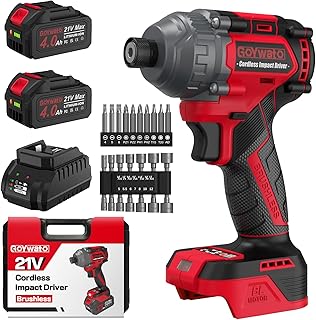


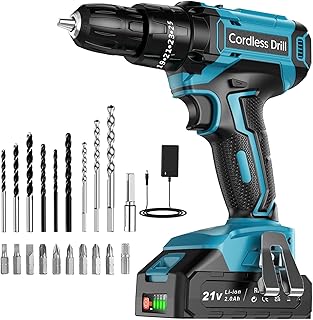


A cordless drill driver is one of the most useful general-purpose power tools for DIY, furniture assembly, home maintenance and a wide range of trade work. However, the best cordless drill driver is not necessarily the most powerful or the most expensive model. The right choice depends on the materials you work with, how frequently you use the tool, the type of drilling and screwdriving you undertake, and whether you already own batteries from a particular cordless tool platform. When comparing cordless drill drivers, look beyond headline claims such as maximum torque or battery capacity. Chuck design, speed control, gearbox configuration, clutch settings, ergonomics, battery compatibility, charger arrangements and overall tool balance can have just as much influence on day-to-day performance. For occasional household jobs, a compact 12V-class drill driver can be easier to handle than a larger professional machine. For demanding woodworking, renovation or construction work, an 18V-class platform generally provides a broader range of suitable tools and accessories. The most suitable option is the one that matches the work rather than simply having the highest specification. Voltage is useful as a broad indication of the class of cordless drill driver, but it should not be treated as a direct measurement of performance. Different manufacturers engineer motors, gearboxes, batteries and electronics differently, so two drills with the same nominal voltage can feel quite different in use. If portability and low fatigue matter most, a smaller drill can be the better purchase. If the same battery platform will eventually power a circular saw, impact driver, multi-tool or garden tool, the wider ecosystem may be more important than the drill's individual specification. Torque describes the rotational force produced by the drill. It matters when driving screws and when drilling with larger accessories, but maximum torque figures should not be considered in isolation. A drill with a broad range of clutch settings gives you more control when driving screws. This is particularly valuable when working with softwood, furniture components or materials where excessive force could damage the surface, strip the screw head or drive the fastener too deeply. For general DIY, controlled torque is often more useful than simply chasing the highest quoted figure. For heavier applications, consider the relationship between torque, gearbox design, battery capacity, motor technology and the accessories you intend to use. A two-speed mechanical gearbox is a valuable feature on a versatile drill driver. The lower speed range is generally suited to controlled screwdriving and applications requiring greater rotational force, while the higher range is useful for faster drilling with suitable bits. Being able to select an appropriate mechanical speed is preferable to relying entirely on the variable-speed trigger. The gearbox should be switched only when the mechanism permits it; forcing the selector while the gears are under load can cause unnecessary wear. A good variable-speed trigger allows the user to start slowly and increase speed progressively. This makes it easier to position a drill bit accurately, start a hole without excessive wandering and approach a screw carefully. Trigger control becomes particularly important when working with small screws, delicate materials or drill bits that can catch when first contacting the workpiece. Most modern cordless drill drivers use a keyless chuck, allowing drill bits and driver accessories to be changed without a separate chuck key. When comparing models, consider the chuck size and how securely it grips the accessories you intend to use. A commonly encountered larger chuck size provides compatibility with a broad range of general-purpose drill bits and accessories. Smaller compact drills may use a smaller chuck to reduce overall size and weight. For everyday use, a well-designed chuck that grips consistently and is straightforward to operate can be more important than a specification that looks impressive on a product page. The adjustable clutch is one of the features that separates a useful drill driver from a basic drill. It allows the user to limit the amount of driving force applied to a screw before the clutch disengages. For repeatable assembly work, a well-calibrated clutch can help produce more consistent results and reduce the likelihood of damaging fasteners or workpieces. Brushless cordless drills use electronic motor control rather than traditional replaceable carbon brushes. This design can provide advantages in efficiency, compact packaging, heat management and motor longevity, depending on the overall engineering of the tool. Brushless models are particularly worth considering for frequent users. The benefits become more relevant when the drill is used regularly or when it forms part of a larger professional cordless platform. Brushed drills can still be perfectly suitable for occasional DIY. They can offer a lower-cost route into a cordless tool platform and may provide more than enough capability for straightforward household jobs. The decision should therefore be based on expected use rather than assuming that every brushless drill is automatically the best purchase. A well-matched brushed drill may make more sense for someone who only uses a drill several times a year. Battery capacity is commonly expressed in ampere-hours, or Ah. In simple terms, a higher-capacity battery can provide more stored energy, although actual runtime depends on the tool, workload, battery technology, temperature, accessory and operating conditions. Do not select a battery purely by Ah. A heavy high-capacity battery can make a compact drill less comfortable to use. For furniture assembly or light DIY, portability may be more valuable than maximum runtime. One of the most important purchasing decisions is the cordless ecosystem. Brands such as Bosch, DeWalt, Makita, Milwaukee, Ryobi, Einhell and Metabo offer battery-powered tool ranges, but batteries are not universally interchangeable between brands and may not be compatible across every product within a manufacturer's range. If you already own cordless tools, check battery compatibility before buying another drill. Staying within the same platform can potentially reduce the need to purchase additional batteries and chargers, provided the new tool is genuinely compatible with the batteries you already have. For a first cordless tool purchase, think beyond the drill itself. A platform that contains the other tools you expect to need can offer greater long-term flexibility than choosing a drill solely because of its initial specification. Modern cordless power tools commonly use lithium-ion battery technology. Compared with older battery technologies, lithium-ion systems can provide a useful combination of energy density, relatively low weight and convenient cordless operation. Charging speed is another consideration for frequent users. A faster charger can reduce downtime, but it is not necessarily a priority for occasional DIY. If uninterrupted work is important, having a second compatible battery can be more useful than focusing exclusively on charger speed. Always use the charger specified for the relevant battery system and follow the manufacturer's storage, charging and temperature guidance. A drill can have excellent headline specifications and still be uncomfortable if its balance, grip or weight does not suit the user. Ergonomics become especially important during prolonged screwdriving, overhead work and repetitive assembly. Consider the complete working weight, including the battery and accessory. A bare-tool weight can give an incomplete impression of how the drill will feel during actual use. Balance is equally important. A tool that feels excessively front-heavy can place more strain on the wrist, particularly when drilling horizontally or holding the drill in awkward positions. The handle should allow a secure grip without requiring excessive squeezing. Controls should be reachable without repeatedly changing hand position. If possible, compare the physical dimensions as well as the numerical specifications. A compact drill can be significantly easier to manoeuvre inside cupboards, between joists and around furniture than a larger machine. An integrated LED can be useful when drilling inside cupboards, under furniture or in poorly illuminated areas. Light placement varies between designs, so the mere presence of an LED does not tell you how effectively it will illuminate the work area. The terms can be confusing because manufacturers use product categories differently. A conventional drill driver is primarily intended for drilling and screwdriving, whereas a combi drill generally adds a hammer-drilling function for masonry. If most of your work involves timber and screws, buying a combi drill solely for its hammer function may add unnecessary weight and cost. If you regularly need to make holes in brick or masonry, the additional function can make a combi drill more practical. A drill driver and impact driver perform different jobs. A drill driver provides a chuck and adjustable clutch, making it particularly versatile for ordinary drilling and controlled screwdriving. An impact driver uses a different driving mechanism and is designed primarily for fastening applications requiring high driving force. For assembling furniture, drilling pilot holes and handling a broad selection of drill bits, a drill driver is generally the more versatile single-tool choice. For long screws, substantial fasteners and repetitive driving, an impact driver can complement rather than replace a drill driver. For occasional household DIY, prioritise ease of use over professional-level specifications. A compact drill with sensible torque control, variable speed and a suitable battery is often easier to live with than a heavy high-performance machine. Typical DIY tasks include assembling flat-pack furniture, fixing shelves, drilling pilot holes, installing handles and brackets, and carrying out general maintenance. A versatile drill driver can cover many of these jobs without requiring the additional features of a specialist machine. Woodworking places particular emphasis on control and precision. Drilling clean holes and driving screws consistently can require more finesse than raw power. For larger woodworking projects, battery compatibility can become increasingly valuable because other cordless tools may eventually be added to the same platform. Renovation projects can involve a mixture of drilling, fastening, cabinet installation and general construction tasks. In this situation, versatility and battery capacity may become more important than minimum weight. An 18V-class cordless system is often worth considering where the drill will be used alongside other power tools. However, the appropriate tool depends on the materials and workload. Masonry-heavy work may justify a dedicated combi drill or rotary hammer rather than expecting one drill driver to handle every application. Trade users should consider the complete working system rather than selecting a drill in isolation. Durability, serviceability, battery availability, ergonomics, tool range and consistency across the platform can all influence long-term suitability. For professional users, downtime can be more significant than the initial purchase price. A second battery, appropriate charger and access to compatible tools can therefore be important parts of the purchasing decision. When comparing products, create a like-for-like specification checklist rather than relying on marketing terminology. Specifications should always be compared using the manufacturer's stated figures and definitions. Maximum torque, drilling capacity and battery runtime can be measured or described differently between brands, so figures from different manufacturers are not always directly equivalent. A bare tool can be excellent value for someone who already owns compatible batteries and a charger. For a first-time buyer, however, a kit containing one or more batteries and a charger may be more convenient. Before comparing prices, check what is actually included. Two apparently similar listings can differ substantially because one contains a battery and charger while another is tool-only. Maximum torque is only one part of the specification. A drill with excellent torque but poor ergonomics may be less suitable for repetitive household work. Buying into a platform without considering future tools can lead to unnecessary duplication of chargers and batteries. Check the manufacturer's compatibility information before committing to a cordless ecosystem. A large professional drill is not automatically the best option for light DIY. Additional weight can make precise or overhead work less comfortable. Conversely, an ultra-compact drill may become frustrating if you regularly drill large holes, drive long fasteners or work with demanding materials. Always compare like with like. The number and capacity of batteries, charger type, case and accessories can materially affect the overall value of a cordless drill package. Even a high-quality drill will perform poorly if fitted with inappropriate or worn accessories. Drill bits should be selected for the material and application rather than simply using one general-purpose bit for every task. Manufacturers may publish maximum drilling capacities for materials such as wood, steel and masonry. These figures should be treated as application-specific limits rather than an indication that the drill is equally suitable for every hole size. The actual suitability of a drill depends on the bit type, diameter, material, drilling speed, pressure, battery condition and whether the tool has a suitable operating mode. For example, drilling a small pilot hole is very different from using a large-diameter hole saw. A specification stating a maximum diameter does not mean that every intermediate size will produce the same speed, runtime or user experience. The drill itself is only part of the system. Using the correct accessory can have a major effect on drilling speed, hole quality and tool load. Match the accessory to both the material and the drill's capabilities. Avoid using an accessory outside its stated application or operating limits. Cordless does not mean risk-free. Appropriate eye protection, secure workholding and suitable accessories remain important. Routine care can help maintain reliable operation. Keep ventilation openings clear of dust and inspect the chuck, battery contacts and accessories regularly. Remove dust and debris after use, particularly following drilling in dusty materials. Store the drill and batteries according to the manufacturer's instructions and avoid exposing batteries to unsuitable temperatures or moisture. Drill bits should also be inspected regularly. Blunt or damaged bits can increase drilling time and place unnecessary load on the tool. Battery performance depends on usage and storage conditions. Avoid deliberately running a battery down beyond the point recommended by the manufacturer, and use the correct charger for the battery system. Brand selection is best approached as a platform decision rather than simply a badge comparison. Bosch, DeWalt, Makita, Milwaukee, Ryobi and Einhell are among the established names buyers may encounter when comparing cordless tools in the UK, while other manufacturers also offer relevant drill-driver ranges. The most useful comparison is between specific models and their intended applications. Within a single brand, compact DIY-oriented tools and professional machines can have very different designs, specifications and battery systems. Bosch offers cordless tools aimed at different user groups and applications. When comparing a Bosch drill, check whether it belongs to the appropriate battery family for the other Bosch tools you own or intend to buy, as different product ranges should not automatically be assumed to share batteries. DeWalt is widely associated with professional-oriented cordless power tools. Buyers should compare individual drill specifications, battery options, ergonomics and the wider tool platform rather than assuming every model is designed for the same workload. Makita has an extensive cordless tool ecosystem. For buyers already invested in the brand, battery compatibility and the particular platform used by the chosen drill should be checked carefully before purchase. Milwaukee offers cordless equipment across a broad range of professional applications. Its drill selection includes different tool sizes and performance classes, making it important to compare the specific model against the workload rather than choosing on brand recognition alone. Ryobi is particularly relevant to buyers interested in a broad consumer and DIY-oriented cordless ecosystem. The attraction for many users is the ability to build a collection of compatible tools around an established battery platform, subject to the manufacturer's stated compatibility rules. Einhell provides cordless tools across a broad range of DIY and workshop applications. As with any battery platform, check the exact battery family and compatibility information before buying additional tools or batteries. There is no single correct budget because the appropriate specification depends on how the tool will be used. A homeowner who needs a drill for occasional repairs has different requirements from a tradesperson using the machine throughout the working day. Rather than setting a budget first and then selecting the most powerful drill available within it, identify the essential features first. Decide whether you need a compact drill driver, a larger 18V-class machine, a combi function, multiple batteries or access to a wider cordless ecosystem. Then compare complete kits on a like-for-like basis, including batteries, charger and accessories. This provides a more meaningful assessment of value than comparing bare-tool prices alone. Furniture assembly generally benefits from a compact, controllable drill rather than excessive power. A responsive trigger, adjustable clutch and low-speed control can help prevent overtightening screws and damaging furniture components. For this type of work, a lightweight drill with a suitable battery can be easier to manoeuvre in confined spaces. A large high-capacity battery may provide unnecessary runtime while making the tool heavier. The answer depends on the wall material. Drilling timber, plasterboard, brick and concrete requires different accessories and, potentially, different tool types. For occasional masonry drilling, a suitable combi drill may provide useful flexibility. For extensive concrete drilling, a dedicated rotary hammer is generally a more appropriate category of tool. Always establish what is behind a wall before drilling and use appropriate fixings for the load being supported. Outdoor construction and woodworking can involve repeated screwdriving, so battery capacity, ergonomics and durability become important considerations. The drill should be paired with appropriate bits and driver accessories, and batteries should be protected from unsuitable environmental conditions. For high-volume fastening, an impact driver may complement a drill driver. A drill remains useful where drilling and controlled fastening are required. Customer reviews can provide useful information about usability, but they should not be treated as a substitute for specifications and suitability analysis. Look for recurring observations rather than relying on isolated comments. Verified customer reviews can be particularly useful when assessing everyday handling, but specifications and manufacturer documentation should remain the foundation for technical comparisons. There is no universally best cordless drill driver. The right model depends on the intended application, battery platform, desired size, workload, budget and required features. A compact drill may be preferable for household tasks, while a more powerful professional model may be justified for frequent demanding work. Neither is automatically better. A 12V-class drill can be attractive for lightweight and confined work, while an 18V-class system generally provides a broader range of applications and compatible tools. Choose according to the work rather than voltage alone. A brushless drill can be worthwhile for frequent users because the motor design can offer advantages in efficiency, heat management and durability. For occasional DIY, a suitable brushed model can still provide ample capability. The required torque depends on the fasteners, materials and accessories involved. For general DIY, controllable torque and a useful clutch can be more important than maximum torque. More demanding applications may justify a higher-performance drill or a different tool category. A combi drill is more versatile because it adds a hammer-drilling function, but that does not make it better for every user. If your work is primarily screwdriving and drilling wood or metal, a conventional drill driver can be a more focused and potentially lighter choice. No. Cordless tool batteries are platform-specific and must be compatible with the particular tool and battery system. Check the manufacturer's compatibility information rather than assuming that batteries with similar voltage ratings can be interchanged. No. A higher-capacity battery can provide greater stored energy but usually adds weight and bulk. A smaller battery may be preferable when portability and low fatigue matter more than maximum runtime. One battery can be sufficient for occasional use, while two batteries can be useful for frequent work because one can be charging while the other is being used. The best choice depends on workload, charging arrangements and whether you already own compatible batteries. The appropriate chuck size depends on the accessories you plan to use. A larger chuck can accommodate a broad range of general-purpose accessories, while a smaller chuck can contribute to a more compact tool design. Check the manufacturer's stated chuck capacity against your requirements. A suitable combi drill with an appropriate masonry bit can handle some brick-drilling applications, subject to the manufacturer's instructions and the capabilities of the specific model. More demanding masonry and concrete work may require a dedicated rotary hammer. Not completely. A drill driver is more versatile for ordinary drilling and controlled screwdriving, while an impact driver is designed specifically around impact-assisted fastening. The two tools can complement one another. Runtime varies considerably according to battery capacity, tool design, material, accessory, drilling diameter, screw size and workload. Manufacturer runtime claims should therefore be interpreted in the context of the stated test conditions rather than treated as a universal figure. No. A more expensive drill may offer additional features, higher performance, a brushless motor or access to a professional platform, but those advantages may be unnecessary for occasional DIY. The best value comes from buying the specification that matches the work. For a first cordless purchase, it is sensible to consider the wider platform before choosing the drill. If you expect to add other cordless tools, battery compatibility can have a substantial influence on long-term convenience and overall equipment costs. The strongest cordless drill comparison is not simply a ranking of maximum torque, battery capacity or brand reputation. Start by identifying the jobs you actually need to complete, then compare the tools against those requirements. For occasional DIY, prioritise manageable weight, intuitive controls and sufficient power. For woodworking, look closely at precision, speed control and clutch adjustment. For renovation, consider whether a combi function is useful. For professional work, evaluate the entire battery ecosystem, ergonomics, charging arrangements and expected workload. Before purchasing, compare the exact model number, supplied battery capacity, charger, chuck specification, weight, motor type, speed ranges and included accessories. Check current specifications and verified customer reviews from trusted retailers, and compare today's prices only after confirming that you are comparing equivalent kits. A carefully matched cordless drill driver should provide enough performance for the work without introducing unnecessary weight, cost or complexity. The best option is ultimately the one whose capabilities, battery system and ergonomics fit the way you intend to use it.
How to Choose the Right Cordless Drill Driver in the UK
What to Look for When Comparing Cordless Drill Drivers
Voltage and Power Class
Torque and Torque Control
Two-Speed Gearboxes
Variable-Speed Trigger
Keyless Chuck
Clutch Settings
Brushed vs Brushless Cordless Drill Drivers
Brushless Motors
Brushed Motors
Battery Capacity: Ah Explained
Why the Battery Platform Matters
Battery Chemistry and Charging Considerations
Ergonomics Can Matter More Than Maximum Power
Weight and Balance
Grip Design
LED Work Light
Drill Driver vs Combi Drill
Drill Driver vs Impact Driver
Choosing a Cordless Drill Driver for DIY
Choosing a Drill Driver for Woodworking
Choosing a Drill Driver for Renovation Work
Choosing a Cordless Drill for Professional Use
How to Compare Cordless Drill Specifications
Kit Contents vs Bare Tool: Which Is Better?
Common Cordless Drill Buying Mistakes
Buying on Torque Alone
Ignoring Battery Compatibility
Choosing Too Much Tool
Choosing Too Little Tool
Comparing Bare-Tool Prices With Complete Kits
Ignoring the Accessories
Understanding Drilling Capacity
Choosing the Right Drill Bits and Accessories
Safety Considerations When Using a Cordless Drill
Cordless Drill Maintenance
How to Extend Battery Life
Which Cordless Drill Brand Should You Consider?
Bosch
DeWalt
Makita
Milwaukee
Ryobi
Einhell
How Much Should You Spend on a Cordless Drill?
What Makes a Good Cordless Drill for Furniture Assembly?
What Makes a Good Cordless Drill for Shelves and Wall Fixings?
What Makes a Good Cordless Drill for Decking and Outdoor Projects?
How to Read Cordless Drill Reviews Critically
Questions to Ask Before Buying
A Simple Cordless Drill Comparison Checklist
Frequently Asked Questions
What is the best cordless drill driver in the UK?
Is 12V or 18V better for a cordless drill?
Is a brushless drill worth buying?
How much torque do I need in a cordless drill?
Is a combi drill better than a drill driver?
Can I use any battery with a cordless drill?
Is a higher Ah battery always better?
Should I buy a cordless drill with one battery or two?
What chuck size should a cordless drill have?
Can a cordless drill drill into brick?
Can a cordless drill replace an impact driver?
How long should a cordless drill battery last?
Are expensive cordless drills always better?
Should I buy the drill or the battery platform first?
Final Buying Advice
Quick Decision Guide