

♥ Wishlist
Our experts reviewed the latest {category_name } to help you compare quality, performance, durability and overall value before making your purchase.


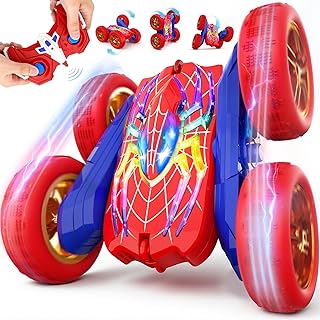


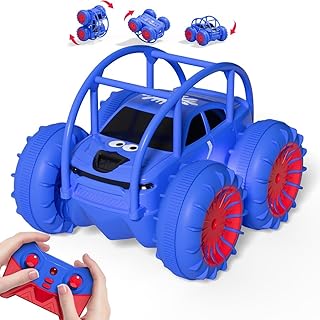


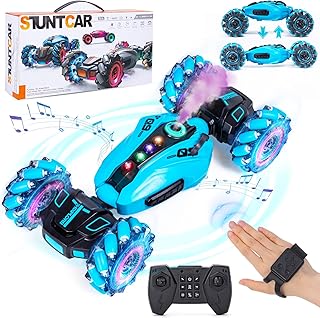


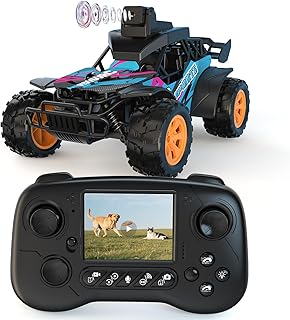


Remote-controlled and app-controlled toys overlap, but they are not quite the same thing. A conventional remote-controlled toy normally uses a dedicated handheld transmitter, whereas an app-controlled toy uses a compatible smartphone or tablet as the controller. Some products combine both approaches, giving buyers a physical controller for straightforward driving and an app for additional functions, programming or customisation. The distinction matters because the controller can affect the whole ownership experience. A dedicated remote is usually quick to pick up and use, while an app can offer more sophisticated controls, on-screen feedback, programmable actions, sound effects, games or learning activities. LEGO Technic, for example, has used its CONTROL+ platform on selected motorised models, with functions such as steering, driving controls, challenges and model feedback. For younger children, simplicity may be more valuable than a long feature list. Older children, teenagers and adults who enjoy robotics, engineering or coding may get considerably more from a toy that can be programmed or customised rather than simply driven around. A useful comparison should go beyond the number of features listed on the packaging. Two toys can both claim to be app-controlled while providing very different levels of control, durability and long-term value. One of the easiest mistakes is to treat the presence of an app as proof that the toy will work with any modern smartphone. It does not. Compatibility can depend on operating system version, Bluetooth capabilities, device hardware and the manufacturer's current software support. Sphero provides a useful example of why compatibility deserves attention. Its support documentation distinguishes between different robots and applications, and some models work with Sphero Play while compatible educational models can also connect through Sphero Edu. The company also notes that discontinued products can have different app-support arrangements. Before purchasing an app-controlled toy, check the manufacturer's current compatibility information rather than relying solely on an old retailer listing or an archived review. This is particularly important when buying an older model at a reduced price. Bluetooth is common in compact robots and interactive toys because it can provide a direct connection between a nearby mobile device and the toy without requiring a home network. Sphero, for instance, documents Bluetooth Low Energy connections for several of its robots. The practical advantage is convenience: a child can generally control the toy locally without configuring a household Wi-Fi network. The trade-off is that range and connection behaviour depend on the product, device and environment. Wi-Fi can support more sophisticated connected experiences, but it may introduce additional setup requirements. Buyers should establish whether the toy needs a normal internet connection, a local wireless network, a direct connection to the phone, or a particular network configuration. A dedicated transmitter can be the better choice when immediate control is more important than app features. There is no need to hand over a smartphone and no concern about another person receiving a phone notification while the child is playing. For straightforward driving, a physical remote can also be easier for younger users to understand. Some of the most versatile products combine physical and digital control. When comparing these toys, establish what each method actually adds rather than assuming that having two controllers automatically makes a product better. Battery performance can have a greater effect on enjoyment than headline speed or the number of app functions. A toy that needs frequent charging may spend a significant proportion of its time waiting to be used, particularly if it is intended for repeated play sessions. Look beyond a single advertised playtime figure. Consider how the battery is charged, whether the battery is removable, whether charging requires a proprietary component, and whether replacement batteries are available. Some models use rechargeable packs, while others rely on conventional replaceable batteries. For example, current LEGO Technic app-controlled models can use different power arrangements depending on the set, so specifications should always be checked for the exact model rather than generalising across an entire product range. When comparing remote-controlled cars, trucks and robots, motor count alone does not tell you how well a toy will perform. The drivetrain, gearing, wheel size, traction, weight distribution and control system all influence how the vehicle behaves. Two-wheel-drive layouts can be perfectly adequate for smooth indoor surfaces and simple driving. They can also make a vehicle mechanically less complicated than an all-wheel-drive design. Four-wheel drive can provide advantages when traction is important, particularly on loose or uneven surfaces. However, it does not automatically mean that every four-wheel-drive toy will perform well outdoors. Tyre design, suspension, ground clearance and motor output remain important. Tracked toys can turn in confined spaces and may handle certain uneven surfaces differently from wheeled vehicles. They are particularly attractive for construction-machine and tank-style models. LEGO Technic demonstrates how advanced drivetrain design can become part of the play experience. Selected models use motors, hubs, suspension and app-based controls to reproduce more complex vehicle movements. A toy that works beautifully on a hard floor may struggle on carpet, grass or gravel. Surface compatibility should therefore be treated as a core specification rather than a minor detail. Do not interpret the words “remote controlled” or “app controlled” as meaning that a product is suitable for outdoor driving. Always check the manufacturer's intended-use guidance for the exact model. The ideal construction depends on the type of toy. A programmable educational robot may prioritise exposed sensors, lights and accessible controls, while an off-road vehicle needs to withstand impacts and repeated contact with rough surfaces. Important areas to inspect include wheel attachment points, axles, bumpers, gears, battery covers, charging ports, moving arms and any exposed electronic components. Toys with elaborate mechanisms can offer greater play value, but they may also have more components that require careful handling. For buildable products, consider whether assembly is part of the intended experience. LEGO Technic, for example, positions its models around mechanical construction as well as subsequent motorised play, with selected CONTROL+ models offering digital operation after assembly. Not every app-controlled toy needs programming, but programmable models can provide substantially more depth for children interested in robotics, coding or engineering. A basic remote-control interface answers the question, “How do I make it move?” A programmable platform can go further by allowing the user to define what the robot should do and when it should do it. Sphero is an example of a platform that combines physical robotic play with programming. Its Sphero Edu environment supports different programming approaches, including Draw, Blocks and text-based programming for compatible robots. A companion app should be judged by what it enables rather than by its presence in the product description. An app that simply duplicates the functions of a basic remote may add little value. A well-designed app can substantially expand the toy's capabilities. LEGO's CONTROL+ experience illustrates the potential difference between a simple digital remote and a richer control platform. Selected models can provide customised controls, sound effects, challenges and feedback in addition to basic driving. The manufacturer's recommended age is an important starting point, but it should not be the only consideration. A toy can be technically suitable for an age group while still being a poor match for an individual child's patience, motor skills or interest. For younger children, straightforward controls, robust construction and short setup times may be more important than advanced connectivity. Older children may prefer greater speed, customisation, mechanical complexity or programming potential. Also pay attention to small parts, moving mechanisms, battery requirements and any warnings supplied with the exact product. Wireless toys contain electronics, moving parts and batteries, so sensible handling matters. Buyers should read the manufacturer's safety instructions before use and supervise children when the product's age guidance or operating environment calls for it. A faster vehicle is not necessarily more enjoyable. Speed can make a toy difficult to control in a small room and may increase the likelihood of collisions. A sophisticated vehicle can still be frustrating if the control interface is poorly suited to the intended user. Check whether the controls are intuitive and whether steering is proportional or simply on/off. Software-dependent products require a little more forward planning than conventional toys. Check current app availability and compatibility, particularly for older or discontinued models. Wheels, gears, tyres, battery components and other parts can become important over the lifetime of a frequently used toy. If replacement parts matter to you, investigate this before buying. A buildable robot or technically sophisticated vehicle may be excellent for an enthusiast but frustrating for someone who simply wants to start driving immediately. Outdoor suitability does not automatically mean waterproof construction. Unless the manufacturer explicitly provides relevant water-resistance information, keep electronics away from water. The purchase price is only one part of the comparison. A realistic buying decision should consider what is required to keep the toy operational. This is particularly relevant when comparing a relatively simple remote-controlled car with a sophisticated robotics kit. The cheaper product may provide better value for uncomplicated play, while the more expensive platform may offer greater educational or long-term interest. Choose a product with responsive steering, simple controls, reliable connectivity and an easy charging routine. Extra programming features are useful only if the intended user will actually use them. Look for programmable robots with accessible coding environments, sensors and an established educational ecosystem. Sphero is one example of a brand that combines robotic control with programming activities across compatible products. Buildable models with working mechanisms can provide a more involved experience. LEGO Technic is particularly relevant where construction, mechanical systems and app-based control are combined in the same product. Prioritise simple operation, durability and a manageable physical size. Avoid paying extra for advanced functions that are unlikely to be used. Consider precision, programmable functions, mechanical sophistication, customisation and the availability of an active software ecosystem. These factors can determine whether the toy remains interesting after the novelty of basic remote control has disappeared. Product specifications are most useful when they answer a practical question. A high motor count, for example, means little without understanding what those motors operate. Similarly, a large number of app features may not matter if the child only wants basic driving. When comparing models, create a consistent set of criteria and apply the same questions to every product. This prevents a product with an impressive feature list from automatically appearing better than a simpler model that is more suitable for the intended use. Good maintenance can help preserve both mechanical performance and the electronic components. The correct procedure depends on the model, so the manufacturer's instructions should take precedence over generic advice. Traditional remote-controlled toys can often remain usable for many years because the physical transmitter and receiver do not depend on a mobile operating system. App-controlled products introduce another layer: the application and the device on which it runs. This does not make app-controlled toys a poor choice. It simply means that software support should be considered alongside physical construction. A product with an active app ecosystem can potentially provide additional activities and functionality, while a discontinued application can make an older product harder to use. The history of Sphero's Ollie demonstrates why buyers of older app-dependent products should investigate current support rather than assuming that every original application remains available. Sphero states that the Ollie app was discontinued for new downloads in 2022, while previously installed versions may continue to work under certain circumstances. Customer reviews are most useful when they reveal recurring practical issues that specifications cannot easily communicate. Instead of focusing only on the overall rating, look for repeated comments about connectivity, battery performance, durability and ease of use. Review dates also matter. An older review may describe an earlier version of an app, an older firmware release or a product configuration that is no longer current. For buying decisions in 2026, prioritise recent, model-specific information and cross-check important technical claims against current manufacturer documentation. The right format depends on the type of play you want to encourage. App-controlled cars tend to focus on driving and manoeuvring. Robots can introduce programming, sensors and interactive activities. Construction models can combine building with mechanical operation. Not automatically. App-controlled toys can provide richer interfaces, programming and additional digital features, while traditional remote-controlled toys can be quicker and simpler to operate. The better choice depends on the user and intended play environment. Not necessarily. Some connect directly to a smartphone or tablet using Bluetooth, while other products may use different wireless arrangements. Always check the connectivity requirements of the exact model. For an app-controlled product, the phone or tablet can act as the controller. However, the exact functionality varies by product, and some toys require a dedicated controller instead. Many are designed specifically for children, but suitability depends on the individual product. Check the manufacturer's age guidance, small-parts warnings, control complexity and required level of supervision. They can be particularly worthwhile for children who enjoy experimentation, technology or coding. The extra functionality is less valuable if the intended user only wants straightforward remote control. For most indoor and general-purpose use, controllability is more important than maximum speed. Precise steering and predictable acceleration make a toy easier to use and can extend the range of suitable play environments. Battery performance is important because it directly affects how long the toy can be used between charges or replacements. Consider the entire charging and replacement process rather than relying on one advertised runtime figure. It can make sense if the hardware meets your needs, but check current application availability, device compatibility, replacement parts and manufacturer support before buying. Depending on the type of toy, buyers may wish to compare established names such as LEGO and Sphero alongside other reputable manufacturers and specialist robotics brands. The brand should be only one part of the decision; exact model specifications, software support, construction and suitability for the intended user remain more important. The strongest choice is not necessarily the fastest, most expensive or most technologically complicated toy. It is the one whose control system, construction, software, battery arrangement and feature set match the person who will actually use it. For simple play, prioritise reliable controls, manageable speed and easy charging. For outdoor driving, focus on traction, ground clearance, drivetrain design and durability. For STEM-focused play, investigate programming tools, sensors and the quality of the software ecosystem. For buildable engineering models, compare the mechanical complexity and the quality of the digital control experience. Before purchasing, check the exact specifications for the model being considered, confirm compatibility with the intended phone or tablet, review current software support, consider replacement parts and compare recent customer feedback. Prices, stock levels, product versions and retailer offers can change, so these should be checked at the point of purchase rather than treated as permanent specifications.
App-Controlled vs Remote-Controlled Toys: What Is the Difference?
How to Compare the Best App-Controlled Toys in the UK
App Compatibility Should Be a Buying Priority
Bluetooth, Wi-Fi and Dedicated Remotes Explained
Bluetooth-controlled toys
Wi-Fi-connected toys
Dedicated radio-controlled remotes
Hybrid control systems
Battery Life, Charging and Power Management
Motor, Steering and Drivetrain Specifications
Two-wheel drive
Four-wheel drive
Tracked vehicles
Indoor and Outdoor Use: Choose for the Surface
Build Quality and Materials
Programming Features: When a Toy Becomes a Learning Platform
What Makes an App Actually Useful?
Age Ratings and Real-World Suitability
Remote-Controlled Toy Safety Considerations
Common Buying Mistakes to Avoid
Buying on speed alone
Ignoring the controller
Assuming every app is supported indefinitely
Ignoring replacement parts
Choosing a complex toy for a child who wants instant play
Assuming an outdoor toy is waterproof
How to Compare Total Cost of Ownership
Best Types of App-Controlled Toys by Use Case
Best for straightforward driving
Best for STEM and coding
Best for engineering enthusiasts
Best for younger users
Best for older children and adults
App-Controlled Toy Comparison Checklist
How to Read Specifications Without Being Misled by Marketing
Maintenance Tips for App-Controlled and Remote-Controlled Toys
Why Software Support Matters More Than It Used To
What to Look for in Customer Reviews
How to Decide Between a Toy Car, Robot and Construction Model
Frequently Asked Questions About App-Controlled Toys
Are app-controlled toys better than traditional remote-controlled toys?
Do app-controlled toys need Wi-Fi?
Can a phone replace a remote control?
Are app-controlled toys suitable for children?
Are programmable robots worth buying?
What is more important: speed or control?
How important is battery life?
Should I buy an older discounted app-controlled toy?
Which brands are worth comparing?
Final Buying Advice for 2026