

♥ Wishlist
Our experts reviewed the latest {category_name } to help you compare quality, performance, durability and overall value before making your purchase.


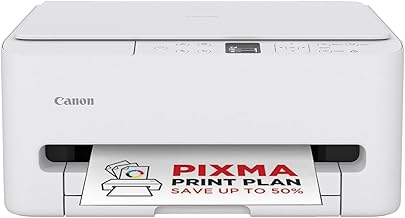


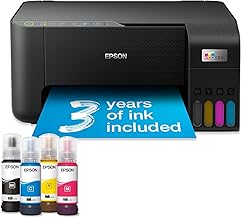


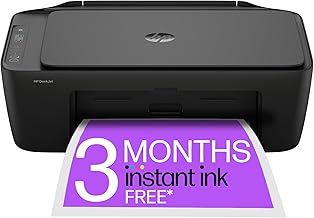


Choosing a printer is less about finding the model with the longest specification sheet and more about matching the machine to the way it will actually be used. A compact home printer can be ideal for occasional documents, while a family, home-office or small-business user may benefit from higher paper capacity, automatic duplex printing, faster document handling and lower running costs. When comparing printers, look beyond the headline purchase price. The total cost of ownership can depend on ink or toner consumption, replacement cartridges, paper usage, maintenance requirements, connectivity and the amount of printing you expect to do over several years. Established manufacturers such as Canon, Epson, Brother and HP offer printers across a wide range of categories, but brand alone should not determine the purchase. Compare the specifications and features of the individual model, then consider whether they fit your workload. Inkjet printers are versatile and can be particularly suitable for households that print a mixture of text, colour documents, graphics and photographs. Many models are relatively compact, making them practical where desk space is limited. The main consideration is ongoing ink consumption. A printer that looks inexpensive initially may become less economical if it is used heavily and requires frequent cartridge replacement. For occasional printing, however, an inkjet can be a sensible all-round option. Laser printers are designed primarily around fast, consistent document printing. They can be especially attractive for users who produce substantial quantities of black-and-white paperwork and want sharp text with efficient page handling. Colour laser models extend this capability to colour documents, although the purchase price, physical size and running costs can differ considerably between models. Compare the intended workload rather than assuming that laser is automatically cheaper for every household. Ink tank printers use refillable reservoirs rather than conventional disposable cartridges. They can be worth considering for users who print frequently and want to evaluate running costs over a longer period. The initial purchase price can be higher than that of an entry-level cartridge printer, so the strongest comparison is based on expected printing volume and long-term ownership rather than the upfront price alone. An all-in-one printer combines printing with functions such as scanning and copying. This makes it a practical choice for homes, students and home offices where one device needs to handle several everyday tasks. Check whether the scanner is genuinely useful for your requirements. If you regularly scan several pages, an automatic document feeder can be considerably more convenient than placing individual sheets on the scanner glass. A single-function printer focuses on printing and can make sense when scanning and copying are already covered by other equipment. Removing unused functions may also help reduce the physical footprint of the device. Photo-oriented printers are designed for users who place greater importance on colour reproduction and photographic output. If photographs are a major part of your workload, look beyond basic print resolution and consider supported paper sizes, borderless printing, colour management and the cost of suitable photo media and ink. Automatic duplex printing allows the printer to print on both sides of compatible paper without requiring you to manually turn each sheet. It can be useful for reports, schoolwork, correspondence and other multi-page documents. Do not confuse automatic duplex printing with a manual duplex mode. If two-sided printing is an important part of your routine, check the specification carefully. An automatic document feeder, often abbreviated to ADF, can make scanning and copying multi-page documents much easier. It is particularly relevant for home offices and users who frequently process forms, invoices, notes or longer documents. Print speed can be useful when comparing printers, but published figures should be treated as a comparison aid rather than a guarantee of the exact time you will experience. Actual performance can vary according to document complexity, print quality, colour usage, connection method, paper type and the time required for the printer to process a job. For occasional home printing, an extremely high quoted page-per-minute figure may offer little practical advantage. For a busy office, the difference can be much more meaningful. Resolution figures are often presented prominently in printer specifications, but a larger number does not automatically mean a better printer. Output quality is influenced by the print system, ink or toner, paper, image source, colour handling and the intended print mode. For ordinary text documents, reliable paper handling and consistent text output may matter more than chasing the highest theoretical resolution. Common connectivity options include USB and wireless networking. Wi-Fi can be particularly convenient when several computers, phones or tablets need to access the printer without a direct cable connection. Before buying, consider where the printer will be positioned and which devices will use it. A printer with suitable connectivity can be much easier to integrate into a household or home-office setup. Mobile printing can be useful when documents or photographs are primarily stored on smartphones and tablets. Check compatibility with the operating systems and devices you actually use rather than assuming that every wireless printer provides identical mobile functionality. Paper capacity is easy to overlook during a printer comparison. A small input tray may be perfectly adequate for occasional use but inconvenient for a busy household or office. Also check supported paper sizes and media types. If you expect to print envelopes, labels, thicker paper or photographic media, verify compatibility before purchasing. The purchase price is only one part of the financial calculation. A useful comparison considers the likely cost of consumables and how frequently they will need replacing. If you print only a small number of pages, a conventional cartridge printer may be sufficient. If printing volume is consistently high, however, an ink tank or other high-yield system may deserve closer consideration. The correct choice depends on the relationship between upfront cost and expected long-term use. Buying an expensive high-volume printer for very occasional printing may not provide meaningful savings. For general household use, an all-in-one inkjet printer can provide a useful combination of printing, scanning and copying. This category is suitable for mixed workloads such as letters, homework, forms, occasional photographs and everyday documents. Families should pay particular attention to wireless connectivity, automatic duplex printing, paper capacity and the cost of replacement ink. If several people will print from different devices, straightforward network setup can be more valuable than an unusually high maximum print resolution. A home-office printer should be assessed according to workload rather than simply by its physical size. Regular business documents place greater emphasis on reliable paper feeding, automatic duplex printing, document scanning, connectivity and sensible running costs. An automatic document feeder becomes particularly useful when scanning or copying multi-page paperwork. If most output is monochrome text, compare suitable black-and-white laser printers as well as inkjet alternatives. Students often need a printer that can handle essays, lecture notes, forms and occasional colour work without taking up excessive space. Compact dimensions, wireless printing and automatic duplex functionality can therefore be useful priorities. Running costs deserve attention because the cheapest printer to purchase is not necessarily the cheapest option throughout a university course. If printing requirements are relatively light, avoid paying for high-volume capabilities that will rarely be used. Photographic printing requires a different set of priorities from ordinary office documents. Look at colour capability, supported photo paper, borderless printing, paper sizes and the manufacturer's intended print quality modes. For occasional photographs, a versatile all-in-one may provide the best balance. Users who print photographs frequently may want a more specialised photo-focused model. In either case, consider the ongoing cost of photographic paper and consumables alongside the printer itself. Printer specifications are useful, but they need context. A high maximum print speed does not necessarily mean every document will emerge at that speed, while a very high resolution figure does not automatically translate into visibly superior everyday documents. Likewise, a low advertised purchase price should not be treated as evidence of low ownership cost. Consumables, paper, print volume and replacement frequency can change the economics substantially. When comparing two printers, identify which specifications affect your actual workload. This prevents paying extra for capabilities that look impressive on paper but have little practical value for your particular use. The cheapest printer can become expensive if it consumes costly consumables or is poorly matched to your print volume. Compare the complete ownership picture. Consumables are one of the most important long-term considerations. Always investigate the replacement options before committing to a printer. A high-volume business printer may be unnecessary for someone printing a few pages a week. Extra capacity, speed and advanced features can add cost and take up valuable space without providing a useful benefit. The opposite mistake is choosing an entry-level model for a demanding workload. If a printer will handle substantial document volumes, repeated scanning or frequent two-sided printing, basic hardware may become frustrating to use. Printer dimensions should be checked before purchase, including the space required when trays are extended and when the scanner lid or document feeder is open. If you need envelopes, heavier paper, labels or specialist photographic media, check the manufacturer's supported media specifications rather than assuming that a standard printer can handle everything. Canon, Epson, Brother and HP are all established names in the printer market, but there is no single brand that is automatically best for every buyer. Brand reputation can help narrow a shortlist, but the final decision should be based on the printer's specifications, consumable system, intended workload, connectivity and overall suitability. Customer reviews can reveal useful information about everyday usability, but they should not be treated as a substitute for technical specifications. Look for recurring themes rather than relying on one unusually positive or negative review. When assessing reviews, pay attention to comments concerning setup, wireless connectivity, paper feeding, print quality, cartridge consumption, software and long-term reliability. Also consider whether reviewers appear to have used the printer for a workload similar to yours. Professional specifications and independent testing, where available, can provide additional context. Avoid assuming that a high review score means a printer is ideal for every type of user. Regular sensible maintenance can help keep a printer usable and reduce avoidable problems. Follow the manufacturer's instructions for cleaning, cartridge replacement, firmware updates and paper handling. Different printer technologies and models can behave differently when left unused for long periods. If a printer is purchased for occasional use, check the manufacturer's guidance concerning storage, maintenance and periods of inactivity. For users who print regularly, the more important question is whether the chosen printer is designed for the expected workload. A model intended for occasional home use should not automatically be treated as an equivalent to a printer designed for sustained office printing. There is no universal price point that guarantees a good printer. A sensible budget starts with the workload and features you actually need. For occasional household printing, prioritise essential functions, dependable connectivity and sensible consumable costs. For frequent office use, it can be worth allocating more of the budget to features that save time repeatedly, such as automatic duplex printing, a larger paper capacity and an automatic document feeder. Before buying, compare the complete specification and current retailer pricing rather than judging value from the printer's headline price alone. A multifunction printer can be a strong space-saving choice when printing, copying and scanning are all required. It avoids the need to maintain separate devices and can make a small home-office setup more practical. However, if scanning and copying are almost never used, a dedicated printer may be the simpler choice. The best configuration depends on the tasks the device will perform throughout its useful life. Consider a laser printer when the workload is dominated by text documents, particularly where fast and consistent document output is important. Monochrome laser models can be especially relevant for users who rarely need colour. Colour printing requirements, physical space, purchase budget and consumable costs should still be considered. A laser printer is not automatically the best choice simply because it uses toner. An ink tank printer can be particularly interesting when printing volumes are high enough for refillable ink to justify its different ownership model. These printers can reduce reliance on small disposable cartridges, but the initial purchase cost and the user's actual printing volume remain important factors. If you print only occasionally, calculate whether the additional upfront investment is justified. If you print frequently, compare the manufacturer's stated consumable yields and recommended operating conditions with your expected usage. The strongest printer comparison starts with the workload rather than the brand or headline specification. Define how often you print, what you print, whether colour matters, whether scanning is necessary and how much space is available. Next, shortlist suitable printer types. Compare inkjet, laser and ink tank systems according to expected volume and running costs. Once the technology is narrowed down, compare individual models on connectivity, duplex printing, paper handling, scanning features, consumable availability and dimensions. Finally, check current specifications and retailer pricing before purchasing. Prices, bundles, consumables and model availability can change, so information that was accurate at the time of an earlier comparison may not remain current indefinitely. For many households, a multifunction inkjet printer provides a practical combination of printing, scanning and copying. The right choice still depends on print volume, colour requirements, available space and ongoing consumable costs. Neither technology is universally better. Laser printers can be well suited to frequent document printing, while inkjet printers can offer greater versatility for mixed colour and photographic workloads. Compare the technology with your actual usage pattern. They can be, particularly for users with relatively high printing volumes who want to compare refillable ink systems with conventional cartridges. The decision should account for both initial purchase cost and expected long-term use. It is important when documents need to be produced quickly or in large quantities. For occasional home printing, however, other features such as running costs, connectivity and automatic duplex printing may have greater practical value. If you regularly scan or copy documents, an all-in-one model can be convenient and space-efficient. If those functions are rarely used, a single-function printer may better match your needs. Customer feedback is useful for identifying recurring usability issues, but ratings should be considered alongside specifications, consumable costs and your intended workload. A highly rated printer can still be unsuitable for a particular use case. Choose a printer whose consumable system matches your print volume, use duplex printing where appropriate, avoid unnecessary high-quality modes for routine documents and compare the cost and stated yield of replacement consumables before purchasing. Confirm the exact model number, printing technology, functions, dimensions, connectivity, duplex capability, paper compatibility and consumable type. Then compare the current purchase price and the cost of replacement ink or toner across reputable retailers. The best printer is the one that remains economical, practical and easy to use for the workload you actually have. A printer with impressive specifications can be poor value if its consumables are unsuitable for your usage, while a simpler model can be a better purchase when it provides exactly the functions you need. Before making a final decision, compare the complete specification, expected print volume, consumable system, connectivity, paper handling and physical dimensions. Check current retailer pricing and verified customer feedback, and revisit the manufacturer's specifications where an important feature or compatibility requirement could affect your decision. Use the recommendations and comparison criteria on this page as a starting point for commercial research rather than treating any single model, brand or printer type as universally best. The most suitable choice ultimately depends on your budget, workload and priorities.
How to Compare Printers Before You Buy
Inkjet vs Laser Printers
Inkjet printers
Laser printers
Ink tank printers
Printer Types Explained
All-in-one printers
Single-function printers
Photo printers
Key Printer Features Worth Comparing
Automatic duplex printing
Automatic document feeder
Print speed
Print resolution
Connectivity
Mobile printing
Paper capacity
Understanding Printer Running Costs
Cartridge printers and high-volume printing
What Printer Is Best for Home Use?
What Printer Is Best for a Home Office?
What Printer Is Best for Students?
What Printer Is Best for Photos?
Printer Comparison Checklist
Printer Specifications That Can Be Misleading
Common Printer Buying Mistakes
Choosing solely on purchase price
Ignoring cartridge or toner costs
Buying too much printer
Buying too little printer
Forgetting physical dimensions
Overlooking paper compatibility
How to Choose Between Canon, Epson, Brother and HP
How to Read Printer Reviews Properly
Printer Maintenance and Care
How Often Should You Print?
How Much Should You Spend on a Printer?
When a Multifunction Printer Makes More Sense
When a Laser Printer Makes More Sense
When an Ink Tank Printer Makes More Sense
Questions to Ask Before Buying
Best Printer Buying Strategy for 2026
Quick Decision Guide
Frequently Asked Questions
Which type of printer is best for most homes?
Is a laser printer better than an inkjet printer?
Are ink tank printers worth considering?
Is printer speed important?
Do I need an all-in-one printer?
Should I buy a printer based on customer ratings?
How can I reduce printer running costs?
What should I check before buying a printer online?
Final Printer Buying Advice